TikTok Business vs Personal Account: Is Switching Worth the Tradeoff?
TikTok business vs personal account: weigh earnings, music rights, links, and ad access. Use a decision worksheet and switching checklist before you change.
On this page
TikTok business vs personal account: what matters most?
A switch can give you one feature and cost you an income stream.
The TikTok business vs personal account choice comes down to the tools you need and what must keep working after the switch.
Start with the job your profile does
- Personal: creator work, broad music access, and creator earning programs.
- Business: a profile built mainly to promote products or services.
- Both: weigh the income and tools at risk before changing a working creator page.
A shop link, ad access, and help running your page may each need a different fix.
What You’ll Learn
- Weigh the tradeoffs: what you gain, lose, and need to set up again.
- Check access: profile type, business verification, and ad tools.
- Plan the workload: whether a second account is worth running.
- Verify the switch: test the features your next launch needs.
What is the difference between a TikTok business and personal account?
Personal accounts offer creator tools and a wider music library. Business accounts offer tools to help you reach and serve customers. Both have analytics, so you don’t need to switch just to check your stats.
| What you need | Personal account | Business account |
|---|---|---|
| Music | General music library and Commercial Music Library | Commercial Music Library; no general music library |
| Private profile | Can be private | Public |
| Analytics | TikTok Studio analytics | Business analytics; access depends on your setup |
| Creator Rewards | Can qualify if you meet the program’s rules | Not eligible |
| Website link | At least 1,000 followers under TikTok’s stated rule | Verified Business status offers another way to qualify |
| Promote | Creators can use it if they meet the rules | Businesses can use it if they meet the rules |
| Contact details | No public business contact fields | Public display needs business verification |
Some features also depend on your age, country, and account status. Check the rules for the tool you need before making a change.
If LIVE is the missing feature, use the TikTok LIVE eligibility checklist before switching account types. Check the access message on your own account first.
Why do some menus say General or Verified Business?
TikTok’s account types guide calls Personal accounts General TikTok Accounts. It also lists Verified Business Accounts and Organization Accounts. You may still see the shorter Personal and Business names in other guides.
You’ll also come across Advanced Access. Linking your profile to TikTok’s business tools can give you more features. Verifying your business opens up others. TikTok’s business feature access guide shows what each level includes.
That helps explain why two people with a business profile may see different options. If a tool is missing, check your access level and business status too.
Which account should you choose for your goal?
Keep a Personal account for creator work, use Business for a business-led profile, and weigh the tradeoffs when the two overlap. Start with the exact task that your current setup blocks.
“Look more professional” is hard to judge. “Show a working store link before my merch drop” gives you something you can confirm.
| Fill this in | What a useful answer looks like |
|---|---|
| What can’t I do now? | Name the missing field, tool, or permission. |
| What proves a switch will help? | A requirement shown for that feature and your account. |
| What could stop working? | An earning program, planned sound, or connected tool. |
| What work would the change create? | New audio for six clips, fresh documents, or tool setup. |
| Is there another route? | Fix a link issue, add the needed access, or use a separate business page. |
For a page built mainly to sell, use the business setup that fits that work. If you earn in several ways, compare both options. Would you change the creator page or build a separate business page?
When is a second account worth the work?
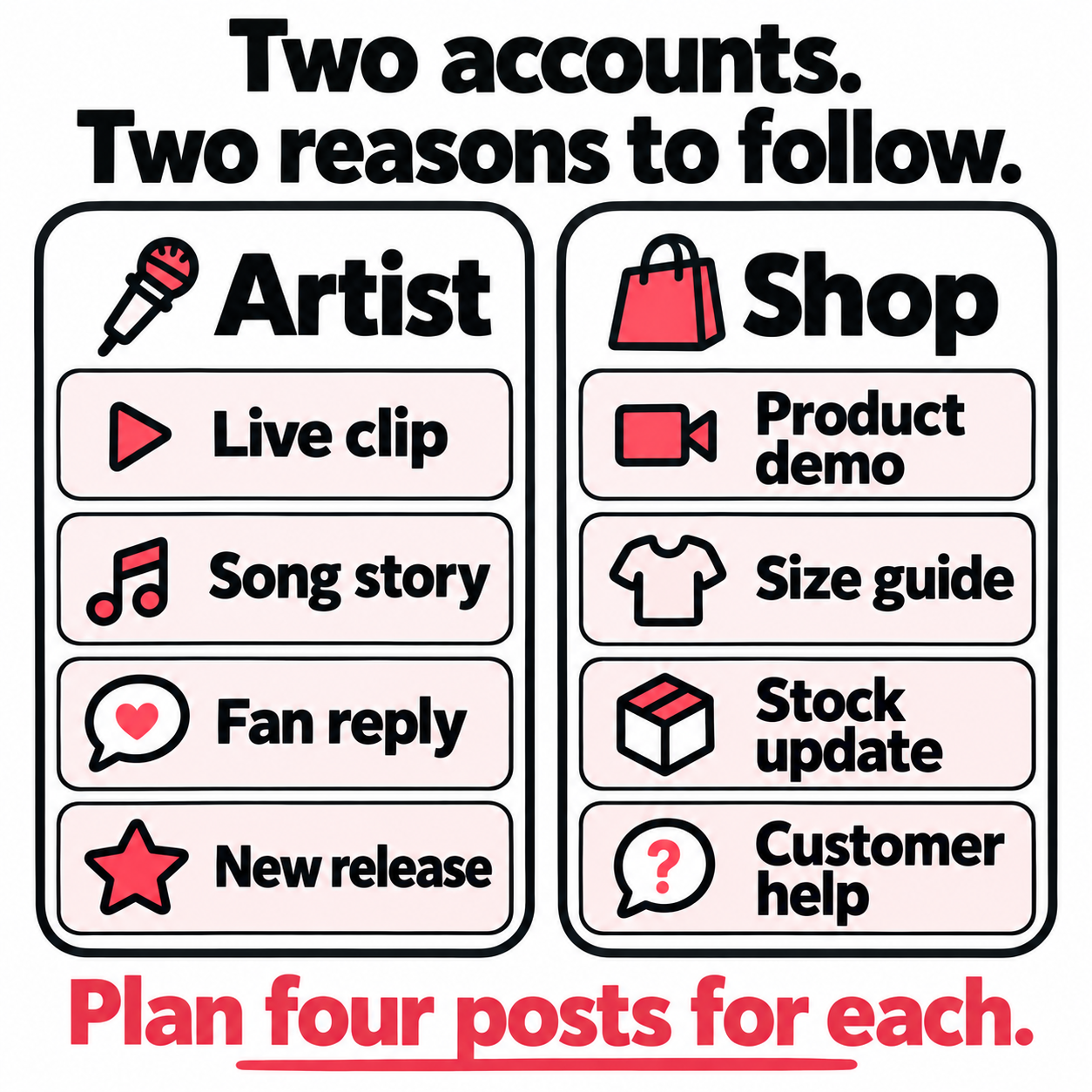
A second account helps when the two pages serve different needs. An artist page may draw fans through performances. A store page may serve buyers with product demos, stock updates, and support.
Before opening it, write the next four posts for each page. Give each a reason to follow. Then name who will post and answer messages, and how much time they have.
If both lists are nearly the same, explain what the second page would solve. If you can’t, it may split your effort without helping your audience. Use the TikTok target audience guide to work out who each page serves.
Can you use trending music on a business account?
Business accounts have a narrower music library, and commercial posts need music cleared for that use on either account type. Plan the audio around where the video will run and what it promotes.
TikTok’s commercial music rules say its licenses outside the Commercial Music Library don’t cover commercial use. A song being available on your Personal account doesn’t clear it for a paid brand post.
| Planned use | What needs to be clear before launch |
|---|---|
| A post selling your product or promoting a sponsor | Permission for that commercial use, even without paid reach |
| A TikTok ad using your own song | Rights to the recording, the song, and any samples |
| A clip labeled “original sound” | Whether someone else’s music is part of that sound |
| An ad using the video outside TikTok | Whether the license covers those placements too |
For a musician, writing the song and controlling the recording can be separate things. A co-writer, label, or sampled track may affect what you can approve.
If your track already plays but the boost is blocked, follow the guide to promoting your own song after a TikTok audio rejection. It covers the sound checks and proof to gather before you appeal.
Keep a rights note beside each launch video: the track, rights holder or library, license or written approval, allowed platforms, countries, and end date. Mark unanswered points before the campaign is booked.
Also keep a clean export with no added background track. If the audio fails review, you can replace it without filming again. Switching to Personal to find the song in the app won’t resolve missing commercial rights.
Can you earn money with a Personal account?
Yes, and some earning programs require it. Check both the account rule and the rules for the specific video you plan to publish.
The Creator Rewards requirements include a Personal account in an eligible country and good standing. You need 10,000 followers and 100,000 video views in the last 30 days. The age limit is at least 18, or 19 in South Korea. Our TikTok Creator Rewards eligibility guide lists the eligible countries and the most common reasons applications get rejected.
Qualifying videos must be original and at least one minute long. Ads, paid promotions, and sponsored content do not qualify. Paid and promoted views also don’t count as qualified reward views.
Check each upload too, even if your account meets the rules. Mark which planned posts are meant to earn through Rewards and which serve a paid partner or sales campaign. Don’t count on the same sponsored video to do both.
Other programs differ. TikTok Series eligibility allows qualifying public Personal or Business accounts. TikTok Shop selling has its own rules too, and so does the TikTok Shop affiliate program, which doesn’t require a Business account. Our guide to TikTok monetization requirements for each income stream lists them side by side.
For each income source, write one status: keeps working, stops qualifying, or not confirmed. Resolve every “not confirmed” that matters to your next launch.
Don’t trade income you already earn for a feature you may never use. Put numbers beside the choice where you can.
Use your recent rewards to estimate the income at stake. Our TikTok Creator Rewards earnings worksheet separates standard pay, qualified views, and extra rewards so one unusually strong video doesn’t set the estimate.
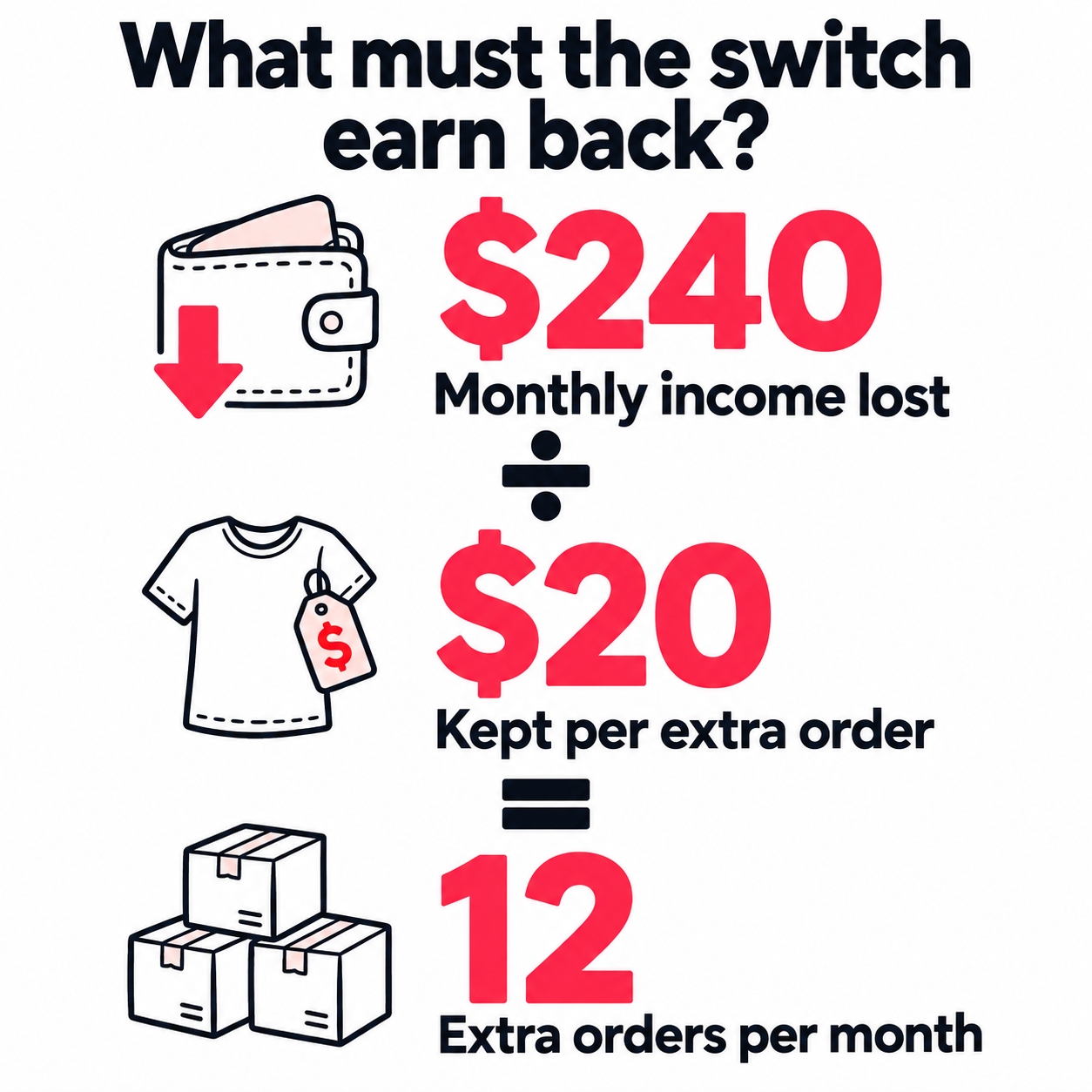
Suppose you expect to keep earning $240 a month from Creator Rewards on your current setup. You want business tools to help sell merch. Suppose each extra order leaves you $20 after product costs, fees, and shipping. You’d need 12 extra orders a month just to replace that expected income. Ad spend and added work would raise the hurdle.
That’s an example, not a sales forecast. Count orders you wouldn’t otherwise have received. Your shop’s total sales don’t show what the new feature added.
Already in Creator Rewards and switching just for a link?
Check the missing link first. The Rewards follower requirement is higher than the 1,000-follower website-link rule. So your follower count should already meet that part of the link requirement.
That doesn’t promise access to every feature. It does mean a Business switch may be the wrong fix. Use the link checks below before giving up a Personal-only earning program.
Do you need a Business account to run TikTok ads?
Eligible creators can use Promote without switching to Business. A public Business profile, business verification, and an ad account solve different parts of the process.
TikTok’s Promote eligibility rules allow creators and Business accounts that meet the age and content rules. Posts must be public and use audio allowed for the promotion.
TikTok’s account definitions also describe linking a Personal account to TikTok for Business. Ads Manager runs campaigns; Business Center manages shared access and assets. Some workflows need further setup.
When a campaign stalls, use the step that failed to choose the next action:
| Where you’re stuck | Resolve this first |
|---|---|
| The profile won’t connect | Save the linking error. Check which account and permissions the request uses. |
| TikTok asks for business documents | Complete the named verification request and check its status. |
| The post fails audio review | Check the track’s rights for that use or use a cleared version. |
| The ad goal or tool is missing | Find the requirement for that exact feature and country. |
Change the profile type when the requirement points to it. It won’t clear a song or complete a pending review.
Before giving a manager access, list their tasks: ads, posts, messages, or billing. Read any prompt that asks you to change the profile to finish linking it.
If a brand only wants to advertise with one existing video, follow the TikTok Spark Ads code and sharing checklist to authorize that post and agree its usage terms.
Once access is sorted, decide whether TikTok Promote is worth it for the planned result. Keep that spending decision separate from the account choice.
Can a business account add a website link without 1,000 followers?
A Verified Business Account is another route to a profile link below 1,000 followers. A business label or an editable link field doesn’t, by itself, confirm that visitors can see the link.
TikTok’s website link instructions give the route: Profile → Edit profile → Links → Add.
If the link is missing, check the follower count and whether business verification is approved or pending. Look for a request for documents or a notice about limited features. If you meet the rules, send support screenshots. Include the profile, link settings, and business status.
Then test the whole path from another account:
- Can a visitor see and tap the link?
- Does it open the intended song, product, or booking page on a phone?
- Can the visitor finish the next step without hunting through the site?
Confirm the destination before you send traffic. Keep your website tracking method the same before and after the switch, so you can compare results.
Do Business accounts get fewer views?
TikTok doesn’t say that Business accounts get less reach just because they are Business accounts. A drop after switching is worth checking, but timing alone cannot tell you the cause.
TikTok’s guide to how recommendations work describes viewer actions and content signals. To judge your switch, record what else changed with it.
| Record before and after | What it helps you separate |
|---|---|
| Account type and date changed | When the account change happened |
| Topic, sound, length, and opening | Whether the content changed at the same time |
| Public status and TikTok notices | Visible access or eligibility issues |
| Paid promotion dates | Extra traffic that could hide the comparison |
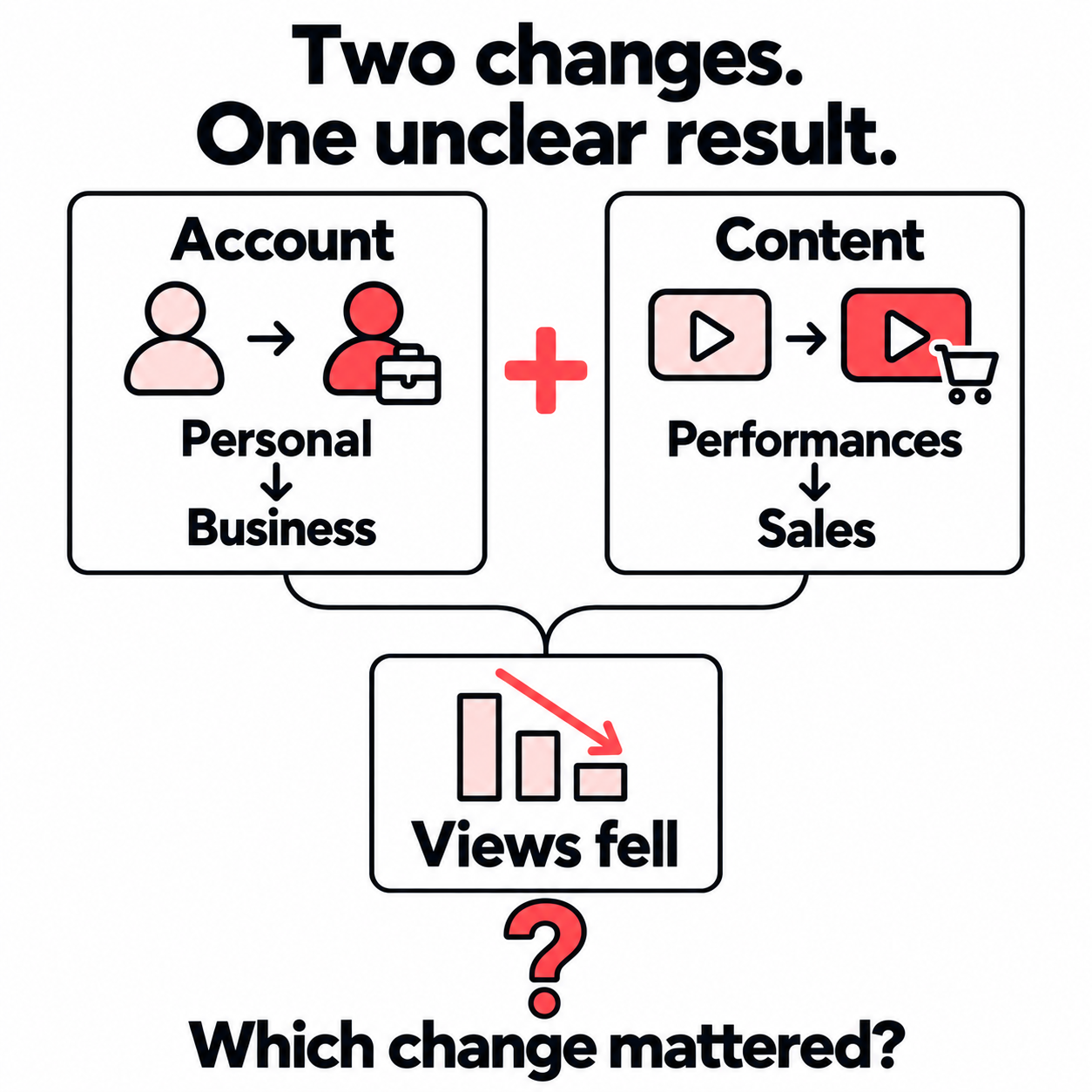
If you switched and replaced performances with sales posts, you changed two things. The view count can’t tell you which mattered.
Keep the next few posts close to a format you already use. Compare them at the same age, with paid results kept separate. Include typical posts, not just the last viral hit. Avoid switching again while you’re gathering that evidence.
Use the result to choose a next step:
- The sound disappeared: fix the audio plan.
- Viewers leave earlier: review the changed opening or offer.
- TikTok flags a post: read the notice and follow its steps.
Those findings don’t prove the account type caused the drop.
For the deeper comparison, use our TikTok analytics guide. If the drop affects more than the posts around your switch, follow the TikTok views dropping checklist. This check shows what to investigate next. It cannot prove that account type caused the change.
What should you check before switching account types?
Make the switch when you can test the features it affects and fix any gaps before launch. Save your current setup, clear the unknowns, then check the result as a viewer and as the person running the account.
Before you confirm
Save the profile URL, links, business status, connected tools, and reports you need. List the next three planned posts with their music and earning goals.
For each tool, check the action you use. A scheduler may let you post from both types. That doesn’t mean you get the same reports or inbox tools. “It connects” is not enough if your team relies on a feature that won’t carry over.
Hold off on the switch if a launch depends on an unconfirmed feature, music right, or earning program. Saving reports gives you a record; it doesn’t mean every switch wipes your data.
Find the options and read the prompts
Start at Profile → Menu → Settings and privacy → Account. The Help Center describes Business verification. Other guides and app versions may show Switch to Business Account or a Personal-account option.
TikTok warns that leaving Verified Business status can mean verifying again. Its business verification guide also explains that verification is separate from a blue profile checkmark. Don’t plan on switching back and forth as a music or ad workaround.
Check the result before the campaign starts
| Test | What counts as working |
|---|---|
| Profile and link | Another account can see the profile and reach the right destination. |
| Planned audio | The cleared track is available for its intended use. |
| Earnings | Each program shows the status you expected; unresolved notices are checked. |
| Connected tools | The posting, reporting, or team actions you rely on still work. |
If a check fails, note the exact failure and its message. Repeated switches can add more changes to untangle. Leave time for a fix before a gig announcement, release, or sale.
What if your account works, but you need more reach?
Keep the account that fits your work and choose a way to bring new viewers to its posts. When you weigh your options, include the time each new upload will need as well as the money you might spend.
One campaign can be easy to manage. A month of song clips, lessons, or demos creates a different job. If you want paid support for that series, decide the rules once, before the next upload:
- Which posts belong in the plan? Name the series or format. Leave room to skip posts with a different goal or rights you haven’t cleared.
- Who should see them, and where should they land? Choose the audience and destination. A visit to your original TikTok video serves a different goal from a visit to a checkout page.
- What is the spending limit? Set a budget per included post and a cap on how many posts get support. Know how to pause before more money is spent.
- What will you review? Keep each post’s spend and delivered traffic beside its TikTok results. Public view growth alone doesn’t show which campaign caused it.
You can use that brief yourself or hand it to someone else. It also gives you a way to assess automatic promotion for new TikTok videos: does it find eligible uploads, stay within the agreed limits, and give you a record for each post? Those details show how much work the process takes off your plate.
Ads in other mobile apps and websites offer one route to the original post. People who respond can tap through to TikTok and find more of your work there. Check that your music rights cover those placements and that the route fits your goal.
The benefit of a repeatable plan is practical. You can spend the next session choosing a stronger clip or recording the next lesson, with the promotion rules already settled. For a release example, see how TikTok promotion for musicians can fit around performances and song previews.
Frequently asked questions
Is it better to have a business or personal TikTok account?
Personal suits artists who need broad music access and creator earning programs. Business adds tools for a commercial profile.
If you only need analytics or Promote, check your current tools first. You may not need to switch.
What is the downside of a TikTok business account?
Before switching, check the sounds and earning programs you rely on. Weigh those losses against the business feature you need.
A Personal account still needs the right music permissions for commercial posts.
Does a TikTok business account get more views?
TikTok's guidance does not establish an automatic boost or a blanket penalty for Business accounts. Ad access is separate from unpaid reach.
If views change, compare similar posts at the same age. Check changes to the sound, topic, opening, and paid promotion.
What happens when you switch to a business account on TikTok?
General music access is restricted, and Creator Rewards is unavailable. Some business tools need verification before you can use them.
Save your reports and test links, audio, and connected tools. Leaving Verified Business status later may mean verifying again to regain its features.
Do you get paid on a TikTok business account?
Sales and qualifying programs such as Series offer other routes to income. A Business label alone does not pay you for views.
If you already earn through Creator Rewards, weigh that income against the feature you want before switching.