Your first payment is covered
Your complete initial plan payment is returned, including promotion already delivered.
You post. We promote.
Your show has moments people need to hear. TokPromo promotes every new TikTok clip while it is fresh, sending new listeners to it while TikTok is still deciding how far to push it. You record the conversations. We help more people find them.
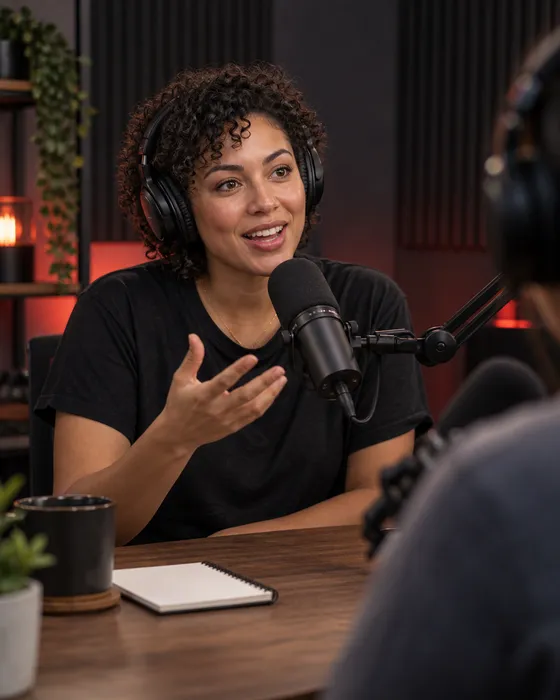
Give your best conversations more chances to be heard
You found the guest, prepared the questions, and edited the recording. Then you posted “new episode out now” and moved on to the next one.
There may be a great story, a useful answer, and a surprising admission inside that episode. Give each moment a clip of its own. TokPromo helps more people hear it.
A new viewer does not know your guest or your episode list. Let them hear a complete story or a useful answer first. A strong clip gives them a reason to want more of the show.
Share different clips across the week. Each new TikTok in your plan gets its own ads, so your episode has more than one chance to catch someone’s attention.
Guest research, editing, and publishing already fill the week. TokPromo handles the ad setup for your new posts. You can spend that time preparing a better conversation.
You publish the clips. We promote them.
Choose how many new TikTok videos to promote each month, a budget per video, and a country. TokPromo finds your eligible new uploads while they are fresh and runs their ads. New viewers’ plays, likes, and follows give TikTok more reasons to push each clip further.
Each clip in your plan gets its own ads and its own report.
You edit and upload the clip
Choose a moment, add enough context, and publish it on your public TikTok account. No need to send us a new link each time.
TokPromo handles the ads
After the post is found and approved, we run ads across mobile apps and websites in your selected country.
People open your TikTok video
A tap takes someone to the original post. They can hear the clip, leave a comment, follow the show on TikTok, and explore your profile.
You get a report for that clip
Your report is ready as soon as promotion finishes. TokPromo uses the results to favor the apps and sites that bring the most interested viewers to your next clip.
The allowance counts TikTok uploads, not podcast episodes. Three clips from one episode use three posts. You choose the number you can finish each month, and promotion stops at that limit.
TokPromo brings people to the TikTok post. From there, your clip and profile make the full show easy to find. You never need to give us access to your podcast host.
Make the clip worth watching on its own
A regular listener knows the host, the guest, and the story so far. A new viewer may arrive halfway through their day with none of that context.
Start where the moment becomes interesting. Keep enough of the question to understand the answer, and let the answer finish.
Swipe across to read the full table.
| Clip | Start here | Keep this in the edit | Why someone might want more |
|---|---|---|---|
| The turning point | The moment the guest changed their mind | What happened and why it mattered | They want to hear how the story unfolded. |
| One useful step | A clear question the guest can answer | The actual step, with an example | They learn something and want more advice from the show. |
| A mistake or tradeoff | What the guest got wrong or found difficult | What they changed and any important limit | They hear an honest account they can relate to. |
An opening like “And that changed everything” leaves a stranger guessing. A line such as “My first customer asked for a refund” gives them a story to follow. Add a short label explaining who is speaking if the clip needs it.
Keep the part that explains what the guest meant. If they say an idea worked only after months of practice, keep that detail. Cutting away the limit can turn an honest story into a claim they never made.
Let the clip deliver its point. You can invite people to hear the rest after giving them a useful answer. Ending every post just before the answer makes it harder for a newcomer to judge whether they like the show.
For more help choosing the first few seconds, see our advice on making a TikTok opening worth watching.
Four episodes. Twelve ways to discover the show.
Here is a fictional example: Nina hosts a weekly interview show about changing careers. She records four episodes this month and makes three TikToks from each one.
Each week has a story, a useful step, and a mistake or tradeoff. TokPromo promotes the twelve new posts while Nina works on the next episode.
Before the first clip goes out, Nina checks that the full episode is available. Her TikTok profile uses the same show name as her listening apps. The profile link opens a simple page where each guest and episode is easy to find.
While editing, she marks the start and end of each good moment. She writes a short note about the question it answers. That keeps her from choosing three clips that all make the same point.
Give a new viewer a story they can understand right away.
“I wanted to own a bakery. I had never worked a morning shift.” Keep the guest’s account of trying that first shift and what it taught her.
Next step: Name the guest and point to the full episode through the profile link.
Share one clear action from the conversation.
Start with Nina asking, “What did you try before opening a shop?” Keep the answer about taking a small batch to a weekend market and what the baker learned there.
Next step: Ask people to follow for more stories about testing a career change.
Show the honest side of the guest’s experience.
“Baking was the part I knew. Planning the week was new.” Keep a specific example of the order or timing mistake and how she changed her routine.
Next step: Invite viewers to share which part of a new job surprised them.
Help viewers picture the guest’s early days.
“My first paid shoot came from someone who had seen this one photo.” Keep the story of that image and how the conversation became a booking.
Next step: Give the episode title so viewers can find the rest of the interview.
Turn a broad topic into one useful answer.
Start with “How did you choose your first five photos?” Keep the guest explaining one choice and the kind of work they wanted to be hired for.
Next step: Ask viewers to save the clip if they are building their own portfolio.
Let the mistake and lesson stay together.
“We had agreed on the shoot, but not how many finished photos.” Keep what happened next and the change the guest made to later conversations.
Next step: Point to the full discussion about the first year of paid work.
Open with a decision that makes someone curious.
“I stopped looking for my own shop and shared a corner instead.” Keep why the shared space suited that stage of the business.
Next step: Invite viewers to hear the full story through the episode link on the profile.
Give viewers one practical part of the guest’s routine.
Keep Nina’s question, “What did you start tracking?” Use the answer about writing down how long each order took, with one example.
Next step: Ask which routine helped viewers when they started something new.
Keep the story balanced and specific.
“Sharing the space meant sharing the opening hours.” Keep the guest explaining the tradeoff and how she worked around it.
Next step: Ask people to follow for honest stories about changing careers.
Let a nervous beginner see a familiar situation.
“I thought I needed to explain every service I offered.” Keep the story of the call where the designer started by asking what the client needed instead.
Next step: Name the show and guest so a new viewer can find the episode.
Offer a small lesson with enough detail to use.
Start with “What do you ask before you start designing?” Keep one question and the guest’s example of how an answer changed the work.
Next step: Ask viewers to save the question for their next project conversation.
Show a lesson without removing the guest’s context.
“I said yes before I knew how much work it was.” Keep the part about what was missed, what happened, and what the designer asks now.
Next step: Point to the full episode and invite a question for a future guest.
Nina could post the story when the episode comes out, the useful step midweek, and the tradeoff later in the week. The exact days fit her own schedule. Each clip should make sense to someone who missed the other two.
She checks which moments led to questions about the guest or the full episode. If viewers keep asking a question the interview did not cover, she can record a short host reply or bring it to the next guest.
The plan covers advertising, automatic post detection, campaign management, and reports. Nina still edits the clips herself. She counts the actual uploads planned for the month before choosing an allowance, including any host replies or clips from older episodes.
Help the full conversation get found
“Full episode in bio” is only useful if the viewer can find the right episode when they get there. An older clip may keep getting watched after your newest guest has changed.
Give people a clear show name, an episode title, and a path that still works next week.
Name the show and guest
Keep the show name easy to read. Add the guest’s name and enough of the episode title to make it searchable.
Explain what the rest offers
After the clip delivers its point, name a related part of the full conversation. “We also talk about her first market day” is clearer than “You need to hear this.”
Make the profile recognizable
Use the same show name and artwork as your listening apps. Say what kinds of conversations people can expect, and pin a good introduction to the show.
Keep the episode within reach
Where your account supports a link, use a page with clearly named episodes and listening options. Check it on a phone and keep older featured episodes easy to find.
If your account cannot add a link, give viewers the exact show and episode names to search for. If you use a link page, put the episodes featured in recent clips near the top. Do not make someone hunt through a long list of unnamed buttons.
A guest clip can attract people who came only for that guest. Give them another reason to follow the show: a related conversation, a familiar question, or the next guest in that series. Our views but no followers guide helps you check whether that promise is clear.
Make the most of the recordings you have
You may record every week, once a month, or in seasons. Useful clips can come from the conversations already on your drive, as well as the next recording.
Pick a new moment that still makes sense today. TokPromo can promote the new TikTok upload even when the full episode is older.
Choose an answer that still holds up. Name the original episode, check any dates or claims, and give the moment a new clip. Someone discovering the show today has not heard your archive yet.
Use a photo, a diagram, a relevant object, or a host introduction to help explain the moment. Add checked captions. Let the visuals support what is being said instead of hiding the story behind unrelated footage.
Save questions that deserve a fuller answer. Record a short reply or ask a future guest. These posts show people the conversation continues between episode releases.
Spotify’s advice for promoting a podcast on TikTok covers sharing recorded moments, adding visuals to audio, and involving viewers in the conversation. You can start with the format your show already uses.
When editing for a phone, keep faces and useful details in the frame. Check that speaker labels and captions do not cover each other. Listen once through small speakers so a quiet guest is still easy to hear. Keep the moments and words true to the original conversation.
If you publish in seasons, count the clips you actually have ready. Choose a plan that fits those uploads and remember that plans renew monthly. You can cancel future renewal from your account. Our posting frequency guide can help you choose a pace that fits the time you have for editing.
Learn which moments people want more of
A promoted clip can introduce the show, earn a follow, bring a useful question, or send someone to the full episode.
Check each step so you know which moments to clip next.
Swipe across to read the full table.
| What you notice | What to check | What to try next |
|---|---|---|
| People leave before the guest answers | The length of the question and setup | Cut the repeated setup and keep one clear question. |
| Comments ask who is speaking or what happened | The context missing from the edit | Add a short speaker label or a sentence that sets up the story. |
| One guest clip gets views but few follows | Whether the profile explains the whole show | Pin a related conversation and say what the next episode will offer. |
| People ask which episode the clip came from | The title, caption, and profile link | Name the episode and make it easy to find from the profile. |
| Viewers keep asking a question the clip does not answer | The rest of the recording and the wording of the question | Publish another complete answer, or bring the question to a future guest. |
Keep three sets of results separate. TokPromo reports show spend, reach, and traffic for every promoted clip. TikTok analytics show how the posts and account are doing, using the metrics available to you. Your podcast platforms show listening activity for the full episodes.
Compare episodes at the same age, such as seven days after release. Note when clips were posted and promoted, whether a guest shared the episode, and any other promotion. An episode that has been available for a month has had more time to find listeners than one released yesterday.
If your listening links support tracking, use it to see which clips send people to the full episode, then cut more moments like those.
For the next recording, use what you learned. Ask a followup that viewers wanted, leave room for a guest to give a full example, or make the episode title clearer.
Build your plan
Choose how many videos you want promoted each month and the budget behind each one. Your monthly price updates instantly, with the mobile ad budget, automation, quality control, and reporting included.
days
Full purchase protectionUnconditional guarantee
Every new TokPromo plan includes an unconditional 14 day guarantee. If you decide it is not the right fit, contact support within 14 days of your purchase and your full initial plan payment is returned.
Your complete initial plan payment is returned, including promotion already delivered.
Views, followers, engagement, and campaign results never change the terms.
The same unconditional 14 day guarantee applies to every new plan and budget.
Start with confidence
Here’s how it works, what you control, and what to expect after you post.
Talk to the TokPromo teamThe ads open your public TikTok video. Viewers can then visit your profile and use a listening link if your account has one. Show the podcast name, guest, and episode clearly so people can find the full conversation.
You choose the moments, edit the clips, and post them on TikTok. TokPromo finds the eligible new uploads in your plan, runs their ads, and provides a report for each one. You keep your existing podcast host, editor, and publishing process.
Yes, once you turn a part of the recording into a public TikTok video. Add useful visuals, clear captions, or a short introduction filmed by the host. Once it is posted, TokPromo promotes it like any other clip.
It counts new TikTok posts. If you publish three clips from one episode, those use three posts in your allowance. The example on this page uses four episodes and twelve clips. Choose your plan around the number of TikToks you will publish each month.
Yes. Create a new TikTok from a useful moment in an older episode. Make the episode easy to find and check that any dates or advice still make sense. TokPromo looks for new public uploads, so it can promote the new clip even when the conversation was recorded earlier.
Your ads reach people across the whole country you choose, including people who have never searched for a podcast like yours. Name the topic in the opening and caption, and the right listeners stop and watch.
Have the full episode ready when a clip invites people to listen to it. Promotion starts automatically once each clip is found and approved. Spread several clips across the week so the episode gets more than one push.
Yes. You can pause or skip a video before its promotion starts. This is useful for an expired offer, a quick update, or a post you want to leave out of the plan. Keep the permissions for your guests, music, and footage in mind when choosing what to promote.
No. Your public TikTok handle is enough. TokPromo never needs your TikTok password, podcast host login, or Spotify and Apple Podcasts accounts. You keep control of your recordings, feed, and publishing.
Every promoted clip puts your show in front of people who have never heard it, while the post is fresh. The ones who like the conversation can follow you on TikTok and find the full episode from your profile. And if TokPromo is not the right fit, our unconditional 14 day guarantee refunds your full first payment, including promotion already delivered. There is no results target to meet.
Keep learning
Practical guides to help you plan your videos and turn new viewers into followers.
Recommended
Choose a clearer opening and give viewers a useful reason to stay.
Read moreRecommended
Make the promise of your account clear beyond a single video.
Read moreRecommended
Decide how many clips are worth making alongside your full episodes.
Read moreReady for more viewers?
Choose how many videos to promote each month and the budget behind each one. Ads, setup, and reports are included in your price.
Build Your PlanNot sure where to start? Take the 1 minute quiz