How to Get More Views on TikTok: Make Your Best Work Reach Further
Learn how to get more views on TikTok with sharper video angles, stronger proof, and a way to test what earns reach beyond your usual audience.
On this page
How to get more views on TikTok
More editing won’t fix an idea that only your regular viewers care about.
To get more views on TikTok, find a reason for new viewers to care about your subject. Build the opening around that reason, show proof early, and give people something worth staying for. Then test the creative choice on similar posts before repeating it across your account.
When the usual tips stop helping
You already post. You can edit. You know the advice about hooks, trends, and hashtags. The harder question is what to change when a well made video still goes nowhere.
This guide works through that choice at the video level. If reach has dropped across your whole account, use the TikTok views dropping guide first.
If you want to plan for a breakout, read how to go viral on TikTok for share reasons, a way to spot an outlier, and what to do when one post takes off.
What You’ll Learn
- Widen an idea without leaving your niche.
- Choose between a feed video and a search answer.
- Build an opening your footage can prove, with a full music example.
- Keep depth without making viewers wait.
- Turn a strong post into fresh ideas, then decide what to repeat.
- Plan how each finished video will reach new viewers.
1. Decide where your next TikTok views should come from
A person scrolling For You hasn’t asked for a bass lesson. Someone searching “how to play ghost notes on bass” has. Those viewers need different openings, even when you’re showing the same skill.
TikTok says For You and Search use different signals. For You generally puts more weight on viewer actions, including time spent watching. Search generally puts more weight on how well content matches the search.
Choose the main job before you edit:
| Where you want to reach people | What they need first | A useful video to make |
|---|---|---|
| For You | A reason to care without knowing you | Let them hear how one bass change alters a chorus |
| Search | A clear answer to the thing they asked | Show how to play the muted notes in that bass part |
| Shares from other viewers | A reason to send it to someone | Compare two choices bandmates often disagree about |
A post can still show up in any of these places. This choice only decides who you edit for.
For search ideas, Creator Search Insights can show popular topics and possible content gaps. Use our TikTok keyword research guide for the full phrase selection process.
For this post, assume the goal is more reach among people who enjoy music, including those who don’t play bass. That choice changes the script.
2. Widen the reason to watch without watering down your work
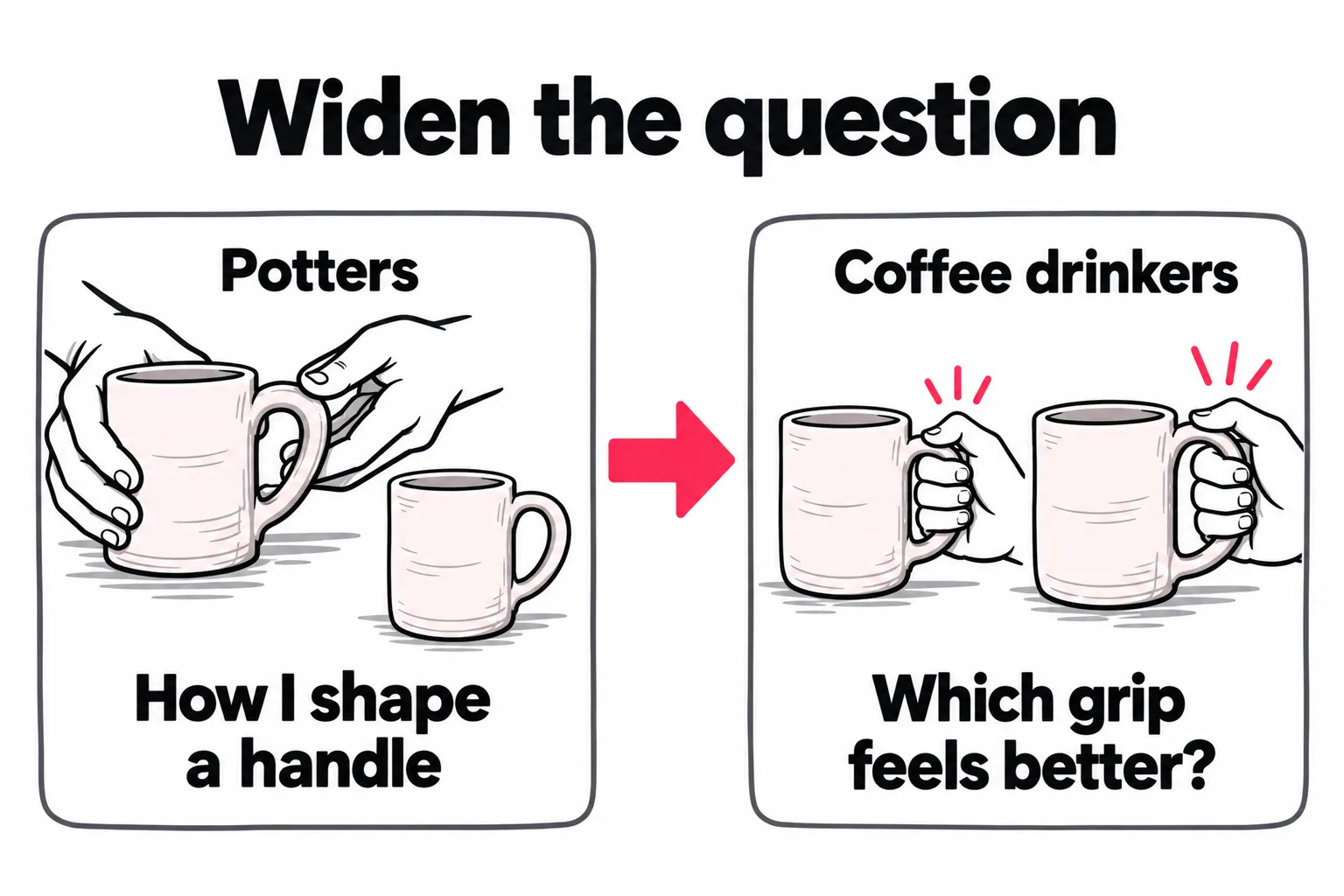
A narrow topic can be useful and still have a small audience. Before making the edit faster, ask whether you’re giving anyone outside that group a reason to watch.
Keep the skill. Change the question it answers.| Angle | Who can follow it | What you must deliver |
|---|---|---|
| “Where I add ghost notes in this bass line” | Players who know the term | A clear view of the technique |
| “Same bass line, two rhythms” | People who enjoy hearing a contrast | Both versions, easy to compare |
| “Hear how this bass change affects the chorus” | Listeners who don’t need a lesson | The same chorus with each bass part |
The third angle can invite a wider audience because it asks for less prior knowledge. A smaller share of those viewers may want a full bass lesson. Decide whether that tradeoff fits this post.
Broader reach still needs a link to your work. A random joke may get seen without giving anyone a reason to watch your next music video. Keep the bass, your taste, and the sound at the center.
Find an angle worth the extra work
Look for the same question across comments on several posts, requests to hear or see a missing step, or a choice people keep debating. One loud comment is weaker evidence than a question that keeps coming back.
Then check your footage. Can you show something those viewers haven’t seen? Can they grasp why it matters before you explain the technical terms?
“Try this bass trick” gives you little to build around. “Which bass rhythm leaves more space for the singer?” gives you a fair comparison to record.
3. Write three openings, then choose the one you can back up
The first shot, the on screen text, and the first spoken line should help viewers notice the same thing. You don’t need all three to repeat the same words.
Here are three sample openings from one recording session:
| Opening | First shot or sound | Best use |
|---|---|---|
| “Listen to the space around the vocal.” | The chorus with bass version A, then B | Invite listeners to hear a change |
| “Same notes. Different rhythm.” | A quick A/B with both versions labeled | Show a contrast with little setup |
| “Here’s where the muted note lands.” | A close view of the hand, played slowly | Answer a player who wants the technique |
Pick the line your footage proves for the viewer you want, even if another line sounds more dramatic.
Make the comparison fair
If you claim the bass made the difference, keep the vocal, drums, song section, and playback level as close as you can. Label A and B. Don’t quietly add a louder mix or extra drums to the version you want people to prefer.
If several things changed, say so and frame the video as a comparison of two arrangements. You can still make a strong post without claiming one change caused the whole result. Our musician promotion example shows how to plan a series of clips around one song.
The same approach works well beyond music:
| Creator | Question for the video | Proof to record |
|---|---|---|
| Artist | “Which ink survives a watercolor wash?” | Both inks on the same paper, with the same drying time and wash |
| Maker | “Which mug handle fits a larger hand?” | Both grips from the same angle; show the fit instead of naming a universal winner |
| Software creator | “Which method finds these duplicate invoices?” | Both methods on the same sample file, with known duplicate rows |
Keep the limit in the answer. An ink test on one paper doesn’t cover every paper. A method that finds exact duplicates may miss a name typed two ways. That detail can become the most useful part of the video.
4. Show the result early, then give people a deeper reason to stay
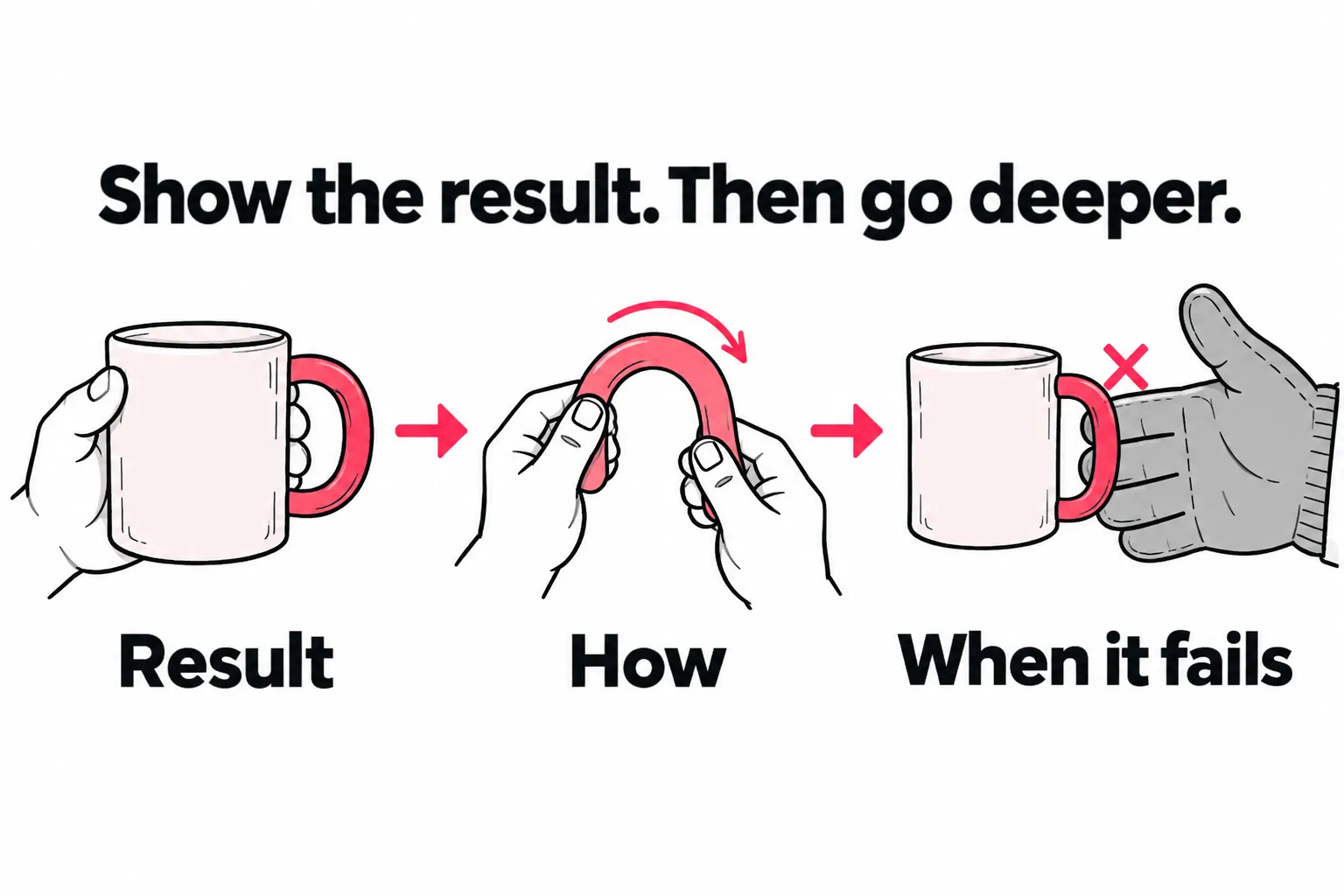
You can reveal the result without giving away the whole video. The next question can be how it works, why you chose it, or when you’d do the opposite.
A podcast clip can give a complete answer and still make someone want the full conversation. Our podcaster promotion example shows how to choose those moments and help new viewers find the episode they came from.
That’s useful when your best material needs more time than a quick reveal.
A complete music video plan
Here is an example 30 second edit, not a recommended length or a tested performance result. Use more time if the musical phrase needs it.
| Part | What to show or play | What keeps the video moving |
|---|---|---|
| 0 to 6 seconds | The same short chorus section with bass A, then B | Viewers hear the change before the explanation |
| 6 to 10 seconds | Freeze the labels; point out the space after the vocal | They know what to listen for |
| 10 to 18 seconds | Isolate the bass, then show the changed rhythm slowly | They can see how you made it |
| 18 to 25 seconds | Put the bass back under the vocal | They can check the claim in context |
| 25 to 30 seconds | Name one case where you’d keep version A | The advice has a useful limit |
A sample voiceover after the opening:
The notes are the same. In B, I leave this beat empty so the end of the vocal has more room. Here’s the bass alone. Now hear it under the singer. For a busier section, I’d try A again.
Caption: “Two bass rhythms under the same chorus. Hear the gap after the vocal, then see how I played it.”
Cover text: “Same notes. Different feel.”
The value comes from the explanation and the limit. The viewer hears the result, understands the choice, and can judge where it applies.
Keep only the parts that earn their time
If the bass sounds different only in the full mix, don’t cut the full mix to make the video shorter. That removes the proof.
If the hand closeup adds nothing for a listener, shorten it. For a separate search lesson, that same closeup may need much more time.
Trim setup and repeated claims before cutting the part that helps someone understand. A higher completion rate on a shorter cut doesn’t, by itself, show that you’ve made a better video.
Fix problems that hide the proof
Listen through a phone speaker as well as headphones. If the bass change disappears, adjust the audio or explain what to listen for. Keep the spoken explanation out of the section people need to hear.
Check TikTok’s captions by hand, especially music terms. Place labels where they won’t cover the fingers or get lost behind app controls.
A polished edit is wasted if the viewer can’t hear the difference you’re asking them to judge.
5. Give a strong idea more than one chance
When a video does well, work out which part earned the interest before copying its format.
Did people care about the result, want the steps, or disagree with the choice? Those lead to different next videos.
| What viewers ask or react to | Next video | Fresh material it needs |
|---|---|---|
| “Can I hear the bass alone?” | Isolated A/B parts | Clean audio without the band |
| “How are you playing that?” | A slow hand demo | A clear view of the key movement |
| “That leaves too much empty space.” | A section where the busier rhythm works | A real counterexample |
| “Would this work in another style?” | The same choice in that style | A new passage worth comparing |
Each post has its own question and answer. “Part two” alone doesn’t tell a new viewer why to stop scrolling.
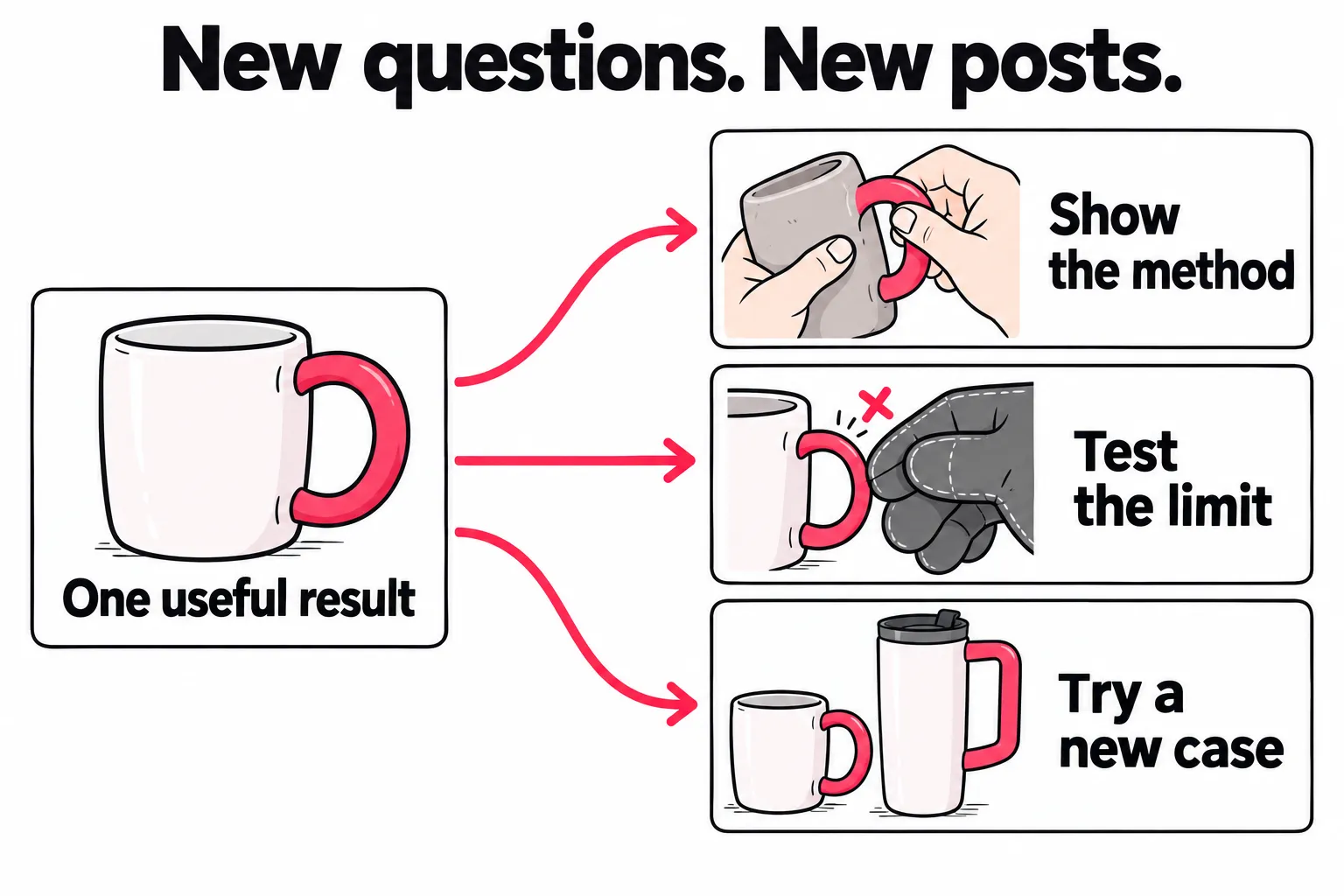
You can plan some of this while recording. Save the full mix, isolated part, slow hand view, and one alternate take. That gives you useful footage if a question comes up. You don’t have to publish every clip.
Give each finished followup a way to reach people who haven’t seen the first post. A technique lesson and a sound comparison may interest different groups. Plan where each belongs while you still have its purpose in mind.
Use trends and collaborations to add something
A trend earns its place when it helps people understand the idea. If the trending sound covers the bass you’re testing, it works against the post.
A Duet, where enabled, could let you add a bass part beside a singer’s original video. Viewers can hear exactly what you added. Give them a complete musical moment instead of only asking them to visit your account.
For a longer plan across several formats, use the TikTok growth strategy guide.
6. Test the creative choice, not five changes at once
Suppose your next test is whether an audible A/B opening earns more reach while holding watch time. Keep the subject, length, and style close enough that the comparison tells you something.
Try it on a few new passages. Keep some posts with your usual opening in the same period. Changing the hook, genre, length, and editing style together may produce a hit, but you won’t know which change to carry forward.
Review similar posts at the same age in TikTok Studio. Use the watch data and traffic sources available to your account. Read the comments for clues about what people noticed.
| Result | What to try next |
|---|---|
| More viewers stay at the start, then leave before the comparison ends | Check whether the opening made a promise the edit took too long to prove |
| Views grow, but people keep missing the sound change | Make the contrast easier to hear before expanding the idea further |
| Views and watch response improve across several similar posts | Use the opening again with a fresh passage; keep checking the result |
| One post takes off while the others stay near normal | Repeat the idea before rebuilding your whole format around it |
| The contrast is clear, but views and watch response stay near normal across several attempts | Try a different question around the same skill before spending more time on that opening |
Treat these as next steps to test. A chart can’t diagnose the cause. New posts reach different people. Even a careful comparison on your own account can’t fully separate the edit from the topic, timing, or audience.
A comment such as “I don’t play bass, but I can hear it” is a clue that the idea makes sense beyond players. Your watch chart can’t tell you who plays an instrument, so don’t treat that comment as a measure of the whole audience.
If you need to compare likes, shares, or saves fairly, the TikTok engagement rate guide covers the math. If reach grows but follows don’t, use the views but no followers guide.
Set a posting pace that leaves room to act on what you learn. The posting frequency guide covers how to fit that work into your week.
7. Get more TikTok views after posting
Once a post is live, focus on the paths that can still bring people to it. The place someone discovers your work can be different from the place they watch it. A preview or shared link outside TikTok can lead back to the original post.
Use a question to give the post a second use. If someone asks about the rhythm in another discussion, share your comparison where links are welcome. Explain which part answers them. Don’t drop the same link into every group.
Make a reply video when the answer needs footage. If people can’t hear the change, record the isolated part. If they want the technique, show it slowly. A comment saying “listen again” won’t fix missing proof.
Keep useful old posts available. A new lesson can point to an earlier comparison, with a clear reason to watch it. Each post should still answer its own question.
Launch the post in its first hours
TikTok tests a new post on a small group before deciding how far to push it (how that first test works). Anything you do to bring interested people to the post counts most during that stretch. Here’s a launch you can run by hand:
- Before you post, pick one or two places where the right people already gather, such as a community you’re active in, a newsletter, or a customer group chat.
- Right after posting, check that the post is public, the sound works, and captions don’t cover the key detail.
- Within the first hour, share the direct link to that video, not your profile, with one sentence on what they’ll see or hear.
- Stay for the replies. Answer the first comments while people are still watching.
- Log it: where you shared, when, and the post’s views and watch time at the same age as your other posts.
Doing this for every post, not only the ones you’re excited about, is the hard part. The next section covers that.
Check the post audience and any content eligibility notice if the video seems unavailable. A low view count alone doesn’t tell you whether a restriction exists.
Give each finished video a repeatable route to new viewers
It’s easy to share the post you’re most excited about, then leave the next three to find their own audience. That makes it harder to judge the ideas: one got extra help, while the others didn’t.
For your next few finished videos, write a short launch note before you know which one will do well:
- The invitation: what someone will see or hear that makes the post worth opening.
- The route: where you can reach those people, such as a relevant community, an existing audience elsewhere, or a paid placement.
- The destination: the exact public video that answers the invitation.
- The record: where you shared it, any spend, and what happened afterward.
For the bass comparison, “Hear what changes when the notes stay the same” is an invitation. Send people straight to that comparison. A profile link makes them search for it; a separate upload on another app collects its own views.
You can do this manually with a note and a saved link. Reuse the launch steps while changing the invitation to fit each video. When you compare posts, note which ones got extra help so the edit doesn’t get all the credit.
Remove repeat setup as you publish more
If you add paid distribution, the repeat work can start with the upload itself. Automatic post detection and preset controls let a new eligible public video trigger its own campaign, within the country, spending limits, and post allowance you’ve chosen. Our page on TikTok promotion for creators walks through a complete campaign.
The ad puts the video in front of people in other mobile apps and sites, and interested viewers tap through to the original TikTok while it’s still fresh. That’s the same first-hours launch as the checklist above, running on every post without you.
Keep a record per post of what each source delivered. Over several launches, it shows which apps, communities, or placements send people who actually watch, so each launch gets sharper.
Whether the steps run by hand or automatically, you get a repeatable way to launch every video while it’s fresh. Early viewers who watch, like, and share give TikTok more reasons to push the post further, and you get back to making the next one.
Frequently asked questions
How to get 1000 views on TikTok?
To work toward 1,000 views, find where your current videos lose people and test one clear fix. If viewers leave before the result, move it earlier. If they leave during the steps, cut repeated setup and show what each step changes.
Compare several posts with similar topics and lengths. Check whether the change holds attention and reaches more people instead of judging by likes alone. TikTok has no published formula that guarantees 1,000 views.
What's the 3 second rule on TikTok?
It means giving someone a reason to keep watching within the first three seconds. It's a creative guideline. TikTok has never published a rule that cuts distribution at three seconds. The opening should make the subject and reason to watch clear.
Play only your opening for someone who hasn't seen the video. Ask what they expect to learn or see next. If they can't tell, replace the greeting or setup with a result, a clear comparison, or the problem you solve. Keep enough context for the result to make sense.
Can a narrow niche still get more views on TikTok?
Yes. Keep the skill you teach and choose a question more people can understand. A potter can show which mug handle hurts to hold. Viewers do not need to make pottery to care about that result.
Show the result early, then explain the detail for people who want it. Compare several posts on similar topics to see whether the broader question helps your work reach new viewers.
What to do immediately after posting on TikTok?
Check that the post is public, the sound works, and captions don't hide the key detail. Answer questions that help viewers understand the video. If you have a relevant audience elsewhere, share the direct TikTok link with a clear reason to open it.
Save useful questions for followups and note where you shared the post. Review its results at the same age as the posts you're comparing it with. Don't delete a finished video because its first few minutes are quiet. Give it time before deciding what to change.
How to trick TikTok to get more views?
No reliable trick makes TikTok give a video more reach. TikTok says tags such as #FYP don't necessarily improve your chance of reaching For You feeds. A new tag or reupload also can't tell you why the first version stalled.
Use a test you can learn from: keep the topic and main footage, but replace a vague opening with a clear promise the video delivers. Compare watch data across several similar posts. If results improve, you've found a creative choice worth repeating.