Your first payment is covered
Your complete initial plan payment is returned, including promotion already delivered.
You post. We promote.
You make the videos. We help more people find them. TokPromo promotes every new TikTok while it is fresh, sending new viewers to your post while TikTok is still deciding how far to push it. Keep creating while we handle the promotion.
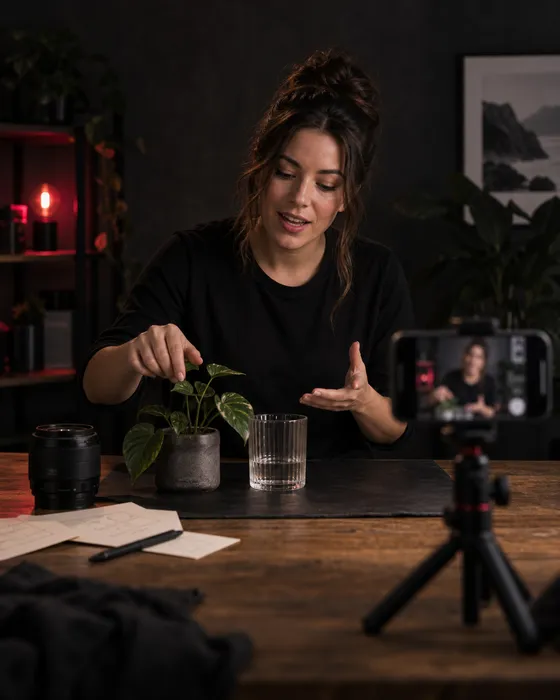
More people should see what you make
You’ve filmed the clip, fixed the sound, and cut out the slow parts. Now it needs viewers.
TokPromo runs ads for your new posts. You don’t have to build a campaign every time you finish a video.
Your ads appear in apps and on websites outside TikTok. People who are interested can click straight through to your video, even if they have never heard of you.
Your next tutorial, challenge, or funny story could be the one people love. Give each post in your plan its own ads while it is still new.
TokPromo finds your new posts and runs their ads. You can spend that time filming, editing, or answering comments instead of setting up another campaign.
Each post has its own report, ready as soon as promotion finishes. Check what was spent, how many people the ads reached, and how the video’s public TikTok numbers changed. TokPromo uses those results to favor the apps and sites that bring the most interested viewers.
Automatic promotion
Someone can find your video while playing a game, reading the news, or browsing a website. A tap on your ad takes them to your post on TikTok.
You post the video. We handle the ads.
Post your video
TokPromo checks your public profile for new posts. You don’t need to send us a new link or share your TikTok password.
We place the ads
We run ads in mobile apps and on websites in the country you chose. TokPromo manages the campaign for you.
Viewers click through
A person who taps your ad lands on your TikTok video. They can watch, like, comment, share, or follow you there.
Check the report
See the spend and traffic for that video. TokPromo does the same for the next post covered by your monthly plan.
Watching or skipping a video helps TikTok decide what to show someone next. Likes and follows matter too, as TikTok explains. TokPromo sends fresh viewers to your post while it is new, so their reactions arrive early, when they count most. Give them a reason to stay in the first few seconds.
You set the country, budget per video, and number of posts to promote each month. You can pause or skip a video before its ads start. Promotion stops at your monthly post limit. You can cancel your plan from your account.
Build an audience around your work
A viewer likes your photo tip. They tap your profile and find three more tips they can use. That’s a clear reason to follow.
Make the next video easy to find. Show people what you make and what they can expect if they stick around.
Say what you make
Use a clear bio, such as “Better phone photos with the camera you already own.” A visitor should know what they will get from your account.
Pin a good place to start
Pin a short introduction, a video that shows what you can do, and an easy first lesson. Give newcomers a few clear choices.
Tell them what is next
End with one useful prompt. “Save this for your next photo” fits a tip. “Follow for tomorrow’s window light lesson” tells them exactly why to come back.
You don’t have to show your face. A familiar voice, a clear style, or a series people enjoy gives them something to recognize. This works for screen recordings, cooking clips, craft videos, and gaming challenges too.
Check your pinned posts as if you had never seen the account before. Could you find the first lesson? Would you know what to watch next? If people watch but do not follow, check what may be putting them off.
Videos worth sticking around for
Start with the result, the problem, or the funny moment. Someone seeing you for the first time shouldn’t have to wait through a long intro to find out what the video is about.
These four types of posts give people different reasons to watch and come back.
Make a tutorial someone can try right away. Show how turning toward a window changes a portrait, then show where to stand. A tip that is easy to use is worth saving.
Film the same portrait before and after changing the background. Keep the phone and lighting the same. Viewers can see what changed and decide whether to try it themselves.
Share a mistake you made and how you fixed it. A photographer could show the rushed shot they missed, then explain what they now check before every shoot.
If people keep asking how to photograph a moving pet, make that video. Show the steps and point them to any earlier tip they need. You already know someone wants the answer.
Swipe across to read the full table.
| Video | Vague opening | Try this instead | Why it helps |
|---|---|---|---|
| Phone photography tip | “Here are some photography tips.” | “Same phone. Same room. Move one step for this portrait.” Show both photos. | People can see the change and how easy it is to try. |
| Gaming challenge | “Welcome back to another video.” | “I have one life to finish this level using the starter weapon.” Start at the first obstacle. | People want to see whether you can finish. |
| Cooking video | “Come make dinner with me.” | “This crispy dinner uses the leftover rice already in your fridge.” Show the finished plate. | People know what they can make with food they already have. |
Keep the opening honest. If the recipe takes an hour, say so. If a photo needs an extra light, show it. People should get the result you led them to expect.
What a month of posts could look like
Here’s a sample month for Maya, a fictional phone photography creator. She posts three times a week. Each video shows one way to take a better photo with the phone you already own.
Maya plans what to film. TokPromo runs the ads for the posts in her plan. Here are her 12 videos, what she says at the start, and what she asks viewers to do next.
Show how window light changes the look of a face.
“Same phone. Same person. I just turned toward the window.” Show the two photos.
Next step: Try both angles before taking your next portrait.
Remove the clutter behind the person in a photo.
“I moved one step left. Look at the background now.” Show both views.
Next step: Save this and check the background before your next photo.
Stop cutting off hands and feet at the edge of a photo.
“Check these two edges before you take the photo.” Show the first shot, then the fix.
Next step: Follow for next week’s tips on bright sun and dark rooms.
Make a face easier to see when the sky behind it is bright.
“The sky looks great, but you can barely see her face. Try this.” Show the brightness change.
Next step: Try the change and check both the face and the sky.
Use a lamp to take a better dinner photo.
“Same dinner. I just moved the plate closer to the lamp.” Show the two photos.
Next step: Save this and try it with your next meal.
Find a better place for a portrait in strong sun.
“It’s noon, so I’m moving her into this patch of shade.” Show the face before and after.
Next step: Watch the window lesson for another way to use soft light.
Get a good shot when a pet won’t sit still.
“My dog won’t sit still. Here’s how I catch the good shot.” Show the shots she took and the one she picked.
Next step: Try it with your pet and share which shot you liked.
Make a plain object look better by changing the camera angle.
“Same coffee cup. Look what happens when I lower the phone.” Show both angles.
Next step: Pick an object near you and take photos from two angles.
Fix a photo without making the colors look odd.
“My first edit made the wall orange. Here’s how I fixed it.” Show the two edits.
Next step: Save this and check the colors next time you edit.
Give viewers a way to use the tips together.
“I took these three photos without leaving this room.” Show the results first.
Next step: Take three photos in one room. Try a new light, background, or angle for each.
Answer a question from the comments on an earlier video.
“You asked why the face still looks dark. Look at what is behind her.” Show the setup.
Next step: Watch the bright sky tip and try a different position.
Tell people exactly what they can watch next month.
“Next month: bright sun, moving pets, and busy streets. Here’s what we’re trying.” Show a clip from each.
Next step: Follow for the outdoor videos and suggest a photo you find hard to take.
This sample plan puts the same ad budget behind each video. Maya can film ahead and post as usual. TokPromo starts the ads for her posts without asking her to set up each campaign.
Count your own posting dates before picking a plan. Some months have more than four weeks. Keep a few finished videos ready so a busy week does not leave you rushing to film.
You can use the same idea for makeup tips, a gaming challenge, or easy dinners. Pick one subject your viewers care about and give each post a useful job. Our content planning guide can help you choose what belongs in the series.
See what worked on each post
Your TokPromo report shows what the ads brought to each post. TikTok shows how the video did. Check both before you pick your next idea.
If people keep asking about the same tip, make the answer. If they leave before the best part, move it closer to the start.
Swipe across to read the full table.
| What you notice | What to check | What to try next |
|---|---|---|
| People leave before you show the result | How long the intro takes | Show the before and after first. |
| People watch but do not visit your profile | Whether you mention another useful video | Point to one related tip at the end. |
| Profile visits go up, but follows do not | Your bio and pinned posts | Say what you make and pin a clear starting video. |
| Several comments ask which setting you used | The step you moved through too fast | Make a short answer showing that setting. |
| Your lighting tips keep getting saves and questions | Which photo problems people mention | Make another lighting tip for one of those problems. |
Compare posts at the same age, such as one week after posting. Mark which ones had ads. A month old post has had more time to get views than yesterday’s upload.
When you talk to a brand, show a few videos that fit its product. Include the numbers and say which posts you promoted. Consistent reach across your recent posts proves your videos get seen. The brand can also see what you make, who it is for, and how you could feature its product.
Leave time to answer comments and plan the next shoot. If extra posts make that hard, choose a posting pace you can stick to.
Build your plan
Choose how many videos you want promoted each month and the budget behind each one. Your monthly price updates instantly, with the mobile ad budget, automation, quality control, and reporting included.
days
Full purchase protectionUnconditional guarantee
Every new TokPromo plan includes an unconditional 14 day guarantee. If you decide it is not the right fit, contact support within 14 days of your purchase and your full initial plan payment is returned.
Your complete initial plan payment is returned, including promotion already delivered.
Views, followers, engagement, and campaign results never change the terms.
The same unconditional 14 day guarantee applies to every new plan and budget.
Start with confidence
Here’s how it works, what you control, and what to expect after you post.
Talk to the TokPromo teamWe run ads in mobile apps and on websites. People who click can watch your public TikTok video. You pick the country, how many posts to promote each month, and the budget for each post. TokPromo spots your new videos, runs the ads, and gives you a report for each one.
Yes, for each eligible new video covered by your plan. You don’t need to send us a link every time you post. Promotion stops when you reach your monthly post limit. Pick a plan that covers the number of videos you expect to make.
Yes. Ads can bring people to your videos even if you have a small following. Have a few posts ready for visitors to watch. A clear bio and useful pinned videos help them see what you make and why they might want to follow.
That’s fine. TokPromo watches for new posts, so you don’t have to stick to certain weekdays. Choose a plan based on how many videos you can make in a normal month. Keeping a few finished clips ready can help when life gets busy.
Promotion starts automatically once TokPromo finds your new video and the ad is approved. You don’t need to set up another campaign. The goal is to bring viewers in while the post is fresh, when their views and likes give TikTok the strongest signals. Your report is ready as soon as promotion finishes.
Yes. You can pause or skip a video before promotion starts. For example, you may want to leave out a personal update or a quick announcement. You can also cancel your plan from your account.
Yes. Keep making the videos your audience likes. TokPromo sends new visitors to those posts through ads. Your video still needs to give people a reason to watch, and your account needs to give them a reason to follow. TokPromo gives every post more chances to catch on, and your first payment is covered by our unconditional 14 day guarantee.
No. We only need your public handle, not your TikTok password. Your profile and the videos you want to promote must be public. Keep posting through TikTok as usual. You can manage your plan and check your reports in TokPromo.
Keep learning
Practical guides to help you plan your videos and turn new viewers into followers.
Recommended
Decide who your videos are for, what to post, and how to keep the ideas coming.
Read moreRecommended
Work out whether making more videos is worth the extra time.
Read moreRecommended
Check why people watch your videos but leave without following.
Read moreReady for more viewers?
Choose how many videos to promote each month and the budget behind each one. Ads, setup, and reports are included in your price.
Build Your PlanNot sure where to start? Take the 1 minute quiz