Your first payment is covered
Your complete initial plan payment is returned, including promotion already delivered.
You post. We promote.
Let people hear your advice, try an exercise, and see how you help. TokPromo promotes every new TikTok while it is fresh, sending new viewers to it while TikTok is still deciding how far to push it. You keep coaching. Every included post gets launched automatically.
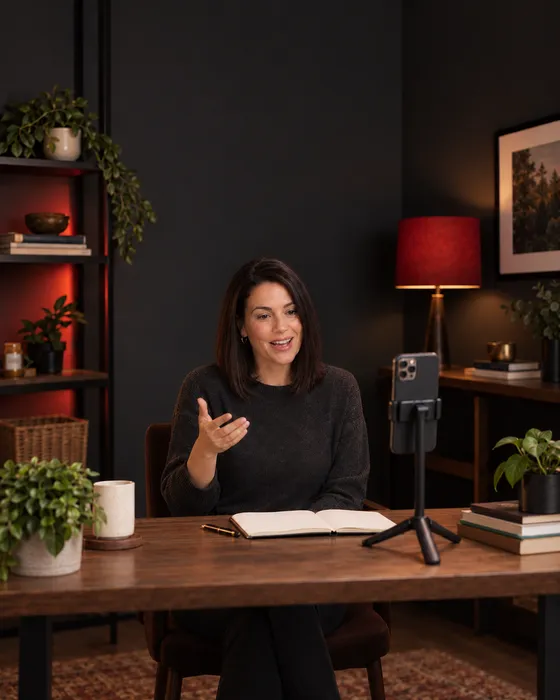
Give people a chance to get to know your approach
A potential client can read your bio and still wonder what it would feel like to work with you. A video lets them hear the question you ask, follow your explanation, and try one small step.
TokPromo helps more people discover that side of your work. Your new videos get promotion while you spend time with clients.
Walk through a sample conversation or explain an exercise. People get a feel for your pace, your questions, and the way you help them think through a problem.
One video can help someone prepare for a meeting. The next can help them ask a clearer question. Give each post in your plan its own promotion and make your related advice easy to find.
Choose your monthly post count and budget once. TokPromo finds your new uploads and handles their ad campaigns. You don’t rebuild a campaign for each new video.
You share the lesson. Promotion is handled.
Post a useful answer on your public TikTok account. TokPromo finds the upload while it is fresh, runs its ads, and sends new viewers to your video. Their views, likes, and saves give TikTok more reasons to show it to a bigger audience.
Your next eligible video gets the same automatic launch while you get back to clients.
You publish the video
Share a question, an exercise, or a sample conversation. Keep posting through TikTok as usual. Your public handle is enough to connect with TokPromo.
TokPromo places the ads
After the post is found and approved, ads run across mobile apps and websites in the country you chose. The plan includes the advertising and campaign management.
People open your TikTok post
A tap takes someone to the video. They can watch, save the idea, leave a question, or visit your profile to learn more about your coaching.
You check the report
Your report is ready as soon as promotion finishes, with spend, reach, and how the video performed. Each campaign also shows TokPromo which apps and sites bring the most interested viewers, so your next promotion gets more focused.
You choose a country, the number of new posts to cover, and a budget for each post. Your ads reach people across that whole country, including people who would never search for a coach. Name the situation in the first seconds so the right viewers know the video is for them.
The ad opens your TikTok video. From there, viewers learn about your sessions through your profile and the contact options on your account.
Give your advice a real situation
“Be more confident” leaves the viewer to work out what to do. Rehearsing the first sentence of a hard conversation gives them a place to start.
Use a moment your audience knows. Show the question, the exercise, or the words they could practice. That gives a new viewer a sample of how you help.
Swipe across to read the full table.
| Your topic | A vague opening | A clearer video | What the viewer gets |
|---|---|---|---|
| Career coaching | “Believe in your experience.” | “What do you say when an interviewer asks about a gap?” Work through a made up answer using a role, a reason, and a next step. | A way to practice explaining their own story. |
| Leadership coaching | “Get your team to take ownership.” | Compare “Be more proactive” with “Send the first draft by Thursday and flag anything blocking you.” Explain what the second request makes clear. | An example of a task, a date, and a chance to ask for help. |
| Business coaching | “Know your ideal customer.” | “Three people asked about your service this week. What did each one actually need?” Use sample notes to spot a repeated request. | A question they can use when reviewing real inquiries. |
| Work habits | “Take control of your time.” | “Your list has twelve tasks. Which one must be finished before someone else can start?” Sort a sample list on paper. | One way to choose where to begin. |
These are examples of what to film, not scripts to use with every client. Give the full explanation in the video. A useful public lesson lets someone judge your approach. In a session, you can work through their situation, practice with them, and review what they tried.
TikTok’s creative guidance recommends making the point clear early and ending with a clear next step. For a coach, that could be saving an exercise, watching a related example, or reading about your sessions.
Keep the setup short enough that the viewer reaches the useful part. If you teach a question, ask it. If you explain an exercise, show a sample answer. Your opening can make that purpose clear before you introduce your full background. Our guide to getting more TikTok views covers how to test those first seconds.
Eight videos from one clear coaching focus
Here is a fictional example: Elena coaches first-time managers online. She helps them prepare for team conversations, give clearer feedback, and agree on next steps.
She plans two TikToks a week for four weeks. Each video stands on its own. Together, they show what a new manager can expect from her approach.
Before filming, Elena writes a clear bio: “Practical coaching for your first year leading a team. Sessions online.” She pins one useful exercise and a video explaining her sessions. Her profile link opens a page with who she helps, the format, the price, and current availability.
She uses made up situations for the videos and labels the role-plays. She can demonstrate a conversation without putting a client’s private session on camera.
Show the kind of question Elena helps managers practice.
“Your first team check-in goes quiet. What do you ask next?” Try “Which part of this week took more time than you expected?” Explain how that gives someone a specific place to start.
Next step: Invite viewers to save the question for their next check-in.
Let people hear a change they can judge for themselves.
“Take more ownership” appears on screen. Elena replaces it with a sample task, a due date, and a question about what support is needed. She explains each part.
Next step: Ask people to follow for more examples of clear team conversations.
Demonstrate a simple preparation exercise.
“Before giving feedback, write these two lines.” Elena uses a fictional missed deadline: “What I saw: the report arrived Friday, not Thursday. What I assumed: the deadline did not matter to them.” She explains the difference.
Next step: Invite viewers to try the two lines privately before their next conversation.
Show how Elena helps someone turn a long worry list into one workable topic.
“You have five concerns and one short meeting.” Put sample notes on the desk. Choose one issue to discuss and explain why the others can wait.
Next step: Point to the earlier question video pinned on her profile.
Let a viewer hear Elena’s teaching style.
Label the clip “Example role-play.” Say a rushed opening, pause, and try a clearer one: “I want to talk about the report arriving after the deadline. What got in the way?” Explain the change.
Next step: Ask which part of starting a work conversation they would like explained next.
Answer what working with Elena involves.
“What would we do with this in a coaching session?” Show three steps: choose a real upcoming conversation, practice the opening, and agree on something to try before meeting again.
Next step: Point to session details through the link on her profile.
Give people more help with a situation they asked about.
Choose a real question, such as “What if the other person says they need more time?” Explain one followup: “Which part is taking longer, and what can we agree on now?” Use a sample situation.
Next step: Invite viewers to save the answer without sharing private workplace details in public.
Help someone decide whether to read about coaching.
“You have started managing people, and the conversations still feel new.” Elena names what she works on, explains that sessions are online, and shows where to find the format and price.
Next step: Invite interested viewers to read the session page and check current times.
Elena films the prepared examples together and leaves the reply video open until she reads the comments. If no question arrives, she answers one she often hears and says where it came from.
The plan does not depend on a viewer watching all eight posts in order. Each clip names the situation and delivers one useful answer. Her profile connects them for someone who wants to keep learning.
This example covers the ads, campaign setup, management, and reports. Elena makes the videos and handles inquiries. Count your own planned uploads before choosing an allowance, including any extra replies or workshop clips.
Help people decide whether your coaching fits
Someone may like your advice and still have basic questions. Is this for people at their stage? Are the sessions online? What happens on the first call?
Answer those questions where you invite them to learn more. They should know what they are booking before they choose a time.
Name who the video helps
Describe a real situation, such as preparing for a first team check-in. A viewer can recognize the problem and decide whether to keep watching.
Give them more of the same useful advice
Make your bio clear and pin related examples. Someone who saves one exercise should be able to find another without searching through unrelated posts.
Explain the paid service
State who you work with, the session format and length, the price, and how to prepare. Show how personal practice or followup works in your actual service.
Make the booking step match the invitation
If the link is for an introductory call, say so. If it is a paid session, show that before the calendar. Check the time zone and your current availability.
Use the link and contact options available on your account. If you cannot add a website link, give the exact name and contact route people can use. Keep that route simple and check it on a phone.
When a viewer follows but is not ready to book, your next useful video gives them another reason to pay attention. If people enjoy individual tips but leave your profile, check whether your ongoing advice is clear.
Keep your public examples useful
Your questions, sample exercises, and explanations show people how you work. None of that requires filming a private session.
Choose examples that belong to your own coaching work and explain what you would explore with that person.
A career coach could ask which part of the last role someone wants more of. Explain what the answer helps them consider. Show how you listen and explore, as well as what you know.
A work habits coach could put three sample tasks on paper and talk through choosing the first one. Label the situation as made up. Viewers can see the steps without mistaking it for a client result.
If a client has agreed to a public story, explain what they worked on and what they reported. Keep their words accurate. A specific account is more useful than a broad promise that everyone will get the same result.
You can return to a topic with a new situation. An exercise for preparing feedback is different from an exercise for asking for help. Each video adds something people can use, and each eligible new upload can receive promotion within your plan.
Before a workshop, teach one part of the topic and explain what participants will practice together. Between launches, keep sharing the questions and exercises that make your coaching recognizable.
See what people want help with
Someone saving an exercise is interested in using it. A question about sessions shows a different kind of interest. Look at both so you can decide what to explain next.
TokPromo reports show spend, reach, and traffic for every promoted video. TikTok shows the viewing and account data available to you. Your booking records show what happened after someone got in touch.
Swipe across to read the full table.
| What you notice | What to check | What to try next |
|---|---|---|
| People leave during the introduction | How long it takes to name the situation | Open with the question or sample conversation. |
| People save the exercise but rarely follow | Whether your profile promises more help with the same problem | Pin a related tip and name the next topic. |
| Comments ask what a coaching session involves | How clearly you explain the service | Walk through a sample session and link to the details. |
| People ask about sessions that do not fit their needs | Who the offer says it is for | Name the stage, problem, and format you work with. |
| People visit the booking page but do not choose a time | Price, available times, time zones, and the kind of call | Make the details clear and try the booking steps on your phone. |
Compare posts after the same amount of time, such as a week. Note which ones had promotion. Keep inquiries, booked calls, attended calls, and paid sessions separate. A calendar booking is useful to know about, but it is not the same as a new client.
Where your setup supports it, use a tagged profile link and ask new clients how they found you. Your TokPromo reports show which videos pulled the most interested viewers, and TokPromo shifts future spend toward the apps and sites that performed best.
Choose a promotion budget that fits the time you can give to recording and replies. If your calendar fills up, keep availability current and decide whether your next videos should invite inquiries or only teach. You can pause or skip a post before its promotion starts.
TokPromo fits coaches who want their regular videos promoted as they publish. For a separate campaign with a website goal, see the TokPromo and TikTok Promote comparison. Give each campaign a clear purpose and keep the total spend within your budget.
Build your plan
Choose how many videos you want promoted each month and the budget behind each one. Your monthly price updates instantly, with the mobile ad budget, automation, quality control, and reporting included.
days
Full purchase protectionUnconditional guarantee
Every new TokPromo plan includes an unconditional 14 day guarantee. If you decide it is not the right fit, contact support within 14 days of your purchase and your full initial plan payment is returned.
Your complete initial plan payment is returned, including promotion already delivered.
Views, followers, engagement, and campaign results never change the terms.
The same unconditional 14 day guarantee applies to every new plan and budget.
Start with confidence
Here’s how it works, what you control, and what to expect after you post.
Talk to the TokPromo teamIt can fit coaches who publish useful TikTok videos and want more people to see them. You make the videos, and TokPromo promotes eligible new posts within your plan. Online sessions let you work with people beyond your town, which fits our country targeting. You still handle inquiries, bookings, and coaching.
The ads open your public TikTok video. Viewers can then explore your profile and use a booking or information link if your account has one. Make that next step clear in the video.
Your ads reach people across the whole country you choose, including people who would never search for a coach. Say who your advice is for in the first seconds, and the right viewers stop and watch. TokPromo targets by country, so if you only coach in person in one town, pair it with a local campaign for that area.
You record, edit, and post your videos on TikTok. TokPromo finds the eligible new uploads in your plan, manages their ads, and provides a report for each one. You keep your voice and your way of teaching.
Yes. You need a public profile and posts that can be approved for promotion. Have a few useful videos ready and make your bio clear about who you help. A new viewer should be able to watch one tip, find another, and understand what your coaching covers.
No. You can explain an exercise, use a made up situation, or record a role-play and label it as an example. This lets people hear your approach while client conversations stay private. Get permission before using any real client material in promotion.
A full calendar is a good time to build demand. Keep sharing useful videos, make your next available dates clear, and invite interested people to join a waitlist. Want to leave a post out? Skip it before promotion starts. Plans renew monthly, and you can cancel the next renewal from your account.
Yes. Post useful examples from the topic and explain who the workshop suits, and each eligible video gets promoted automatically. Have the sign up details ready before you invite people. Promotion starts once your video is found and approved, so post workshop clips a little ahead of your sign up deadline.
No. Your public TikTok handle is enough. TokPromo never logs in, posts, or touches your client list, private messages, or booking account. You stay in charge of your profile and all conversations with potential clients.
Every promoted video reaches people who have never heard of you, while the post is fresh. The ones who like your approach can find your booking link on your profile. And if TokPromo is not the right fit, our unconditional 14 day guarantee refunds your full first payment, including promotion already delivered. There is no results target to meet.
Keep learning
Practical guides to help you plan your videos and turn new viewers into followers.
Recommended
Open with a clear situation and show the useful part sooner.
Read moreRecommended
Help someone who likes one tip see what they can learn from you next.
Read moreRecommended
See how regular video promotion fits alongside campaigns with a website goal.
Read moreReady for more viewers?
Choose how many videos to promote each month and the budget behind each one. Ads, setup, and reports are included in your price.
Build Your PlanNot sure where to start? Take the 1 minute quiz