Your first payment is covered
Your complete initial plan payment is returned, including promotion already delivered.
You post. We promote.
You make the music. We help more people hear it. TokPromo promotes every new TikTok while it is fresh, sending new listeners to your clip while TikTok is still deciding how far to push it. You spend more time writing, recording, and playing.
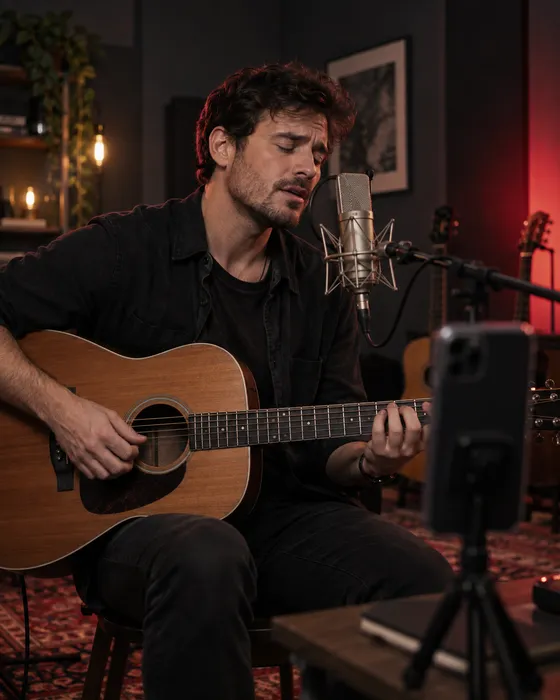
More people hearing your music
You spend weeks on a song, post a clip, and watch the views stop at a few hundred. TokPromo helps you put that clip in front of more people without adding another job to release week.
Share the chorus, an acoustic take, or a live clip. TokPromo promotes the new posts in your plan so more people can hear what you make.
Someone hearing you for the first time has plenty to catch up on. Share a new video of an older song while you work on the next one.
You already have writing, rehearsals, and recording to fit in. Post your video and let TokPromo take care of its promotion.
You post. We promote.
No need to send us each clip or set up a new campaign. TokPromo finds your new public posts and promotes the ones covered by your plan while they are fresh.
Upload your video
Post on your public TikTok account as usual. Your plan sets how many videos get promoted each month and the budget for each one.
TokPromo starts the ads
After a post is found and approved, TokPromo shows it as an ad in mobile apps and websites. You can get back to your music.
People can tap through to TikTok
Someone who likes the ad can open your original post, watch it, leave a comment, and find more of your music on your profile.
Your report is ready
See spend, reach, and how the clip performed as soon as promotion finishes. Each campaign helps TokPromo favor the apps and sites that bring the most interested listeners.
You keep control of your account. We only need your public handle. You never give us your TikTok password.
TikTok looks at what people watch, skip, like, and share when choosing what to show them. TokPromo sends fresh listeners to your clip while it is new, so their plays, likes, and shares arrive early, when they count most. Start your clip with a part worth hearing. See how TikTok chooses videos.
Get to the good part
Start with a great line, a sound they have never heard, or the whole band hitting the chorus. Someone who has never heard of you should not have to wait through a long intro to hear your best part.
If the lyric is about a second coffee cup nobody used, show the cup and sing the line. Then tell the story. A small, clear detail says more than a long speech about heartbreak.
Did you turn the sound of a key in a lock into a hi hat? Play it on its own, then in the beat. People can hear what you did without knowing how to produce music.
Start just before the drum fill that brings everyone into the chorus. Keep the players in the frame. Show the nod, the count, and the moment you all come in.
Record two ways to start the clip. Play them for someone who has not heard the song. Ask which one made them want to keep listening and why.
Eight clips from one song
One song can give you a chorus clip, a live take, a story, and a reply to a fan. Each gives people something else to hear or learn about you. Your plan can cover these new videos as you post them.
Swipe across to read the full table.
| Try this | What to show | How to start | What to keep in the clip |
|---|---|---|---|
| Play the song | The part you love most | Start with the line you would play for a friend | Let the line finish before asking people to follow |
| Tell the lyric’s story | The real detail behind the words | “This line started as a message I never sent” | Tell the story, then sing the line |
| Change the arrangement | The same part with a different sound | Play the chorus with just a piano | Give people enough of both versions to hear the change |
| Show how you made it | A sound or recording trick | “That sound is actually a coffee mug” | Play the sound alone, then in the track |
| Share a live take | The band, room, and audience | Start on a vocal run or the band coming in together | Keep the laugh, breath, or glance that makes it feel live |
| Answer a listener | A real question about the song | Put their question on screen | Sing or play the answer when words are not enough |
This is a made up example: a singer is releasing a song about moving away from home. She has the finished track, a phone, and time to post twice a week. Here are eight clips she could make. You can use the same plan with your own song.
Give someone who has never heard you a part they might want to hear again.
Sing the strongest chorus line. Put “For anyone who misses a place they chose to leave” on screen. Let the line finish before you speak.
Next step: Ask people to follow for the full song.
Help people picture the story behind the words.
“I wrote this after packing the last box.” Show the empty room, then sing the line it led to. Keep the story short and let the song do the rest.
Next step: Ask which line stood out to them.
Let people hear the words and melody on their own.
“Here is the chorus before I added drums.” Play it with just piano and voice. Use the same part as the first clip so people can hear the difference.
Next step: Ask which version they want to hear more of.
Make the song title and release date easy to remember.
Play the finished chorus. Put the song title and release date on screen. Keep the text clear without covering your face or instrument.
Next step: Ask people to save the post so they can find the song again.
Help people who liked the clips find the finished track.
Play the chorus they have heard, then say “The full song is out today.” Show the artist and song name so someone new can find it too.
Next step: Point to the listening link on your profile, if your account has one.
Show people you read their comments and give them more of what they asked for.
Pick a real question about a lyric or chord. Put it on screen. Explain the line or play the chord slowly so the answer is clear.
Next step: Ask what else they want to know about the song.
Let people hear how the song sounds live.
Record the chorus in one take. Leave the breath and room sound in. Start playing right away, without a long spoken intro.
Next step: Ask people to follow for more live takes.
Give people who like this song another one they may enjoy.
Pick an older song about a similar experience. Explain the link in one sentence, then play it. Keep the title on screen so people can look it up.
Next step: Point to a video of that song on your profile.
Film the parts you already know in one session. Leave room for the reply video to come from a real comment. If no one asks a question, answer one someone has asked you before and say that. Each clip should make sense to someone who has not seen the others.
Pick a plan for the number of clips you can finish. If that is four, start with four. Leave room in your budget for recording and other release costs too. Promotion starts automatically once each clip is found and approved, so post release week clips a little ahead of release day.
From the clip to the full song
Someone likes your chorus. What do they do next? Put your artist name and song title where they can see them. Make your profile link point to the song they just heard.
Name the song in the clip
Play the part you promised. Put the song and artist name on screen without covering your face, hands, or instrument.
Make your profile clear
Use the name people can search for on music apps. Say what kind of music you make and make your current release easy to spot.
Give them one thing to do
Before release, ask them to follow for the full song. After release, point to the listening link your account lets you add.
Give them another song to try
Keep posting performances and song stories. Someone who likes one clip should have more music to hear when they visit your profile.
Open the link on your phone and check that it reaches the right song. If your account cannot add a link, make the song and artist name clear so people know what to search for.
Songs you have already released
You may have played it a hundred times. Someone else has never heard it. Keep sharing older songs while you write and record new ones.
Try the song on another instrument or share a live version. Give people a new video to watch, even if the recording has been out for years.
Explain who a line was about or what happened when you wrote it. Then play that part of the song so people can hear the words with the story in mind.
Share an older song one week and a story about it the next. TokPromo can promote the new videos in your plan without waiting for a new song.
TikTok asked Luminate to study music use with 2024 data. The report, published February 13, 2025, found that US TikTok users were 74% more likely to discover and share new music on social and short video platforms than the average short form video user. Read the TikTok and Luminate findings.
Learn what people want to hear
People asking for the full song, the chords, or another verse are telling you what they want. Use those questions to plan your next post.
Check TikTok views and streams together to see which clips send people looking for more of your music.
Choose this when you want every new TikTok promoted automatically while it is fresh. TokPromo reaches listeners in other apps and websites and sends them to your videos.
Choose a video and a campaign goal, then run the ad inside TikTok. This can fit a post you want to give its own campaign.
Work with a creator whose videos suit your music. They can use the song in a story, dance, or other post. Agree on what they will make before you start.
Need listening links or tools to collect fan emails too? See our TokPromo and Hypeddit comparison.
Check the music rights before you promote. Make sure you have permission to advertise the recording, the song itself, and any samples. TikTok says its licenses for music outside the Commercial Music Library do not cover commercial use. Being allowed to post a sound does not cover every use in an ad. Read TikTok’s music rules.
Build your plan
Choose how many videos you want promoted each month and the budget behind each one. Your monthly price updates instantly, with the mobile ad budget, automation, quality control, and reporting included.
days
Full purchase protectionUnconditional guarantee
Every new TokPromo plan includes an unconditional 14 day guarantee. If you decide it is not the right fit, contact support within 14 days of your purchase and your full initial plan payment is returned.
Your complete initial plan payment is returned, including promotion already delivered.
Views, followers, engagement, and campaign results never change the terms.
The same unconditional 14 day guarantee applies to every new plan and budget.
Start with confidence
Here’s how it works, what you control, and what to expect after you post.
Talk to the TokPromo teamTokPromo finds the new public TikTok videos covered by your plan and promotes them through ads in mobile apps and websites. People who like what they see can tap through to your TikTok, hear the song, and visit your profile. You keep posting your music while we handle the promotion.
Our ads send new listeners to your TikTok video. Anyone who wants the full song can use the listening link on your profile, if your account has one. Make the song and artist name easy to find so they can search for it too. Your music platform stats show the new listeners you pick up.
Yes. Share a chorus, a live take, or the story behind the song. Put the release date in the video and ask people to follow for the full version. When the song comes out, update your profile link and post a new clip that points to it. Allow time for ad approval when you plan your posts.
Yes. Post a new TikTok about an older song. You could play it on a different instrument, tell the story behind a line, or share a live version. TokPromo looks for new uploads, so the video needs to be new even if the song is from last year.
Yes. You do not need a large following to promote your public videos. Start with a clip that gets to the song quickly and a profile that shows people where to hear more. Try a few different clips before judging the song by one low view count.
No. Your public TikTok handle is enough. TokPromo never logs in, posts, likes, comments, or follows for you. You stay in charge of your account and your music.
Pick a pace you can keep while making music. The example on this page uses two clips a week. That is a starting idea, not a TikTok rule. You can share a performance, explain a lyric, and answer a fan without writing a new song for every post.
Only if you have the rights needed to advertise them and the post is approved for promotion. You may own your recording but still need permission to use the song or a sample. Check with the owner before running ads. Being allowed to post a sound on TikTok does not mean you can use it in every ad.
Pick how many videos you want promoted each month and how much to spend on each one. The eight clip example on this page shows how that adds up. Take the quiz for a suggested plan based on your goals, posting pace, and budget. You can change the plan before you buy.
Every new plan has our unconditional 14 day guarantee. Contact support within 14 calendar days of your first purchase for a full refund of that first plan payment. This includes promotion already delivered. You do not need to meet a views or streams target to ask. Plans renew each month, and you can cancel future renewal in your account.
Keep learning
Practical guides to help you plan your videos and turn new viewers into followers.
Recommended
Start with the best part of your clip and get more good posts from the footage you already have.
Read moreRecommended
Help someone who likes one video find more of your work and know what you will post next.
Read moreRecommended
Compare automatic TikTok promotion with tools for music ads, listening links, and fan lists.
Read moreReady for more viewers?
Choose how many videos to promote each month and the budget behind each one. Ads, setup, and reports are included in your price.
Build Your PlanNot sure where to start? Take the 1 minute quiz