
TikTok Not Eligible for the For You Feed? What It Means and How to Fix It
TikTok video not eligible for the For You feed? Find the real reason, decide whether to appeal or remake it, and keep your next post from getting flagged.
On this page
What does “not eligible for the For You feed” mean on TikTok?
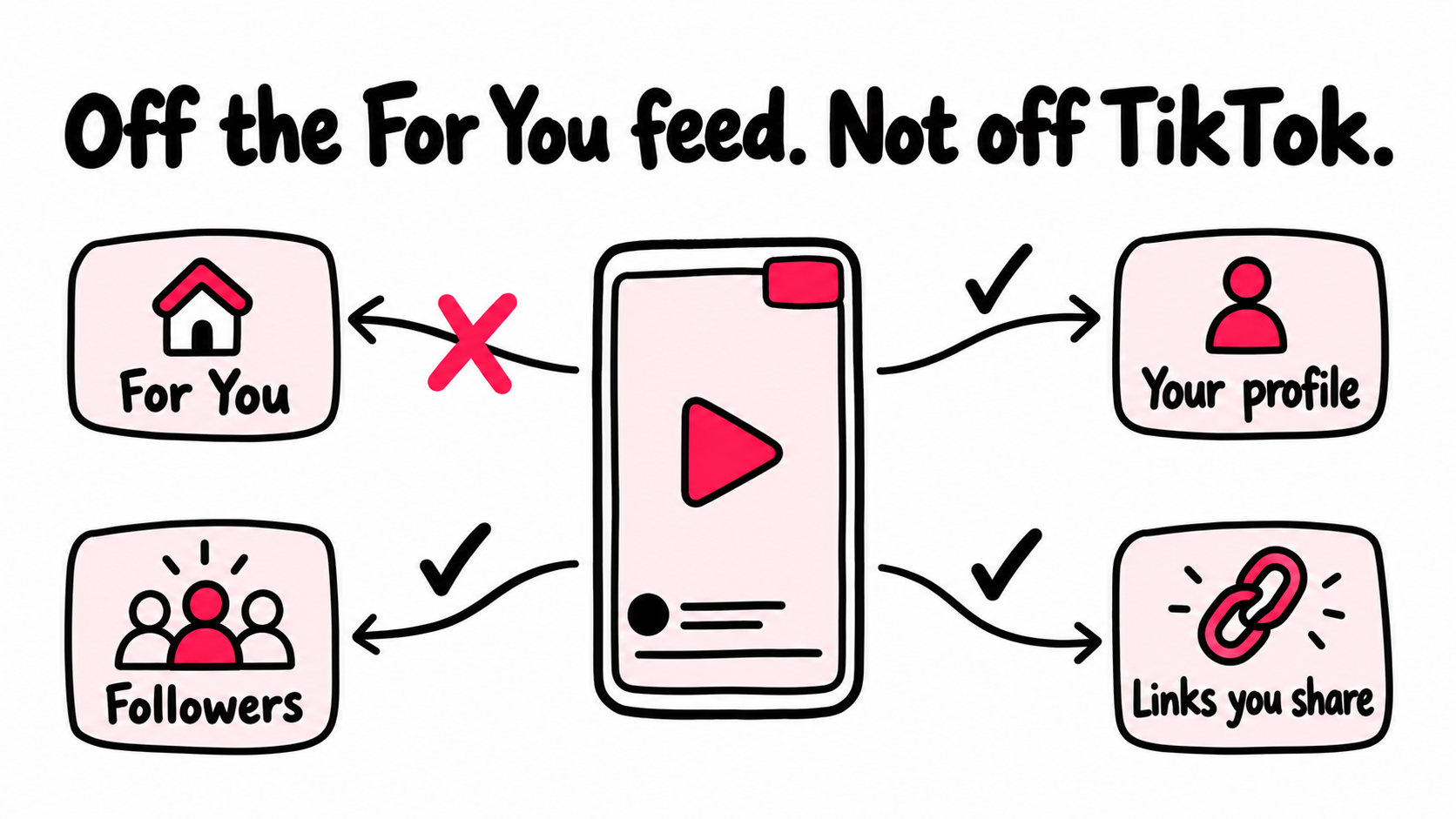
That notice doesn’t mean your video was deleted, and it doesn’t mean your account is done. It means TikTok won’t recommend that post to people who don’t already follow you. The video stays up, and anyone who visits your profile can still watch it.
Why it still hurts
For most accounts, the For You feed is where new viewers come from. Lose it on one post and that post stalls. Lose it on several and the whole account slows down.
If you’re in the Creator Rewards Program, it costs money too. TikTok says content that isn’t eligible for the For You feed doesn’t qualify for Creator Rewards. Our Creator Rewards Program requirements guide covers the other video rules that can stop a post from earning.
But the notice comes with a reason, and the reason tells you what to do next. Most people skip that part and start guessing.
What You’ll Learn
- Tell apart a flagged post, a flagged account, and plain low reach
- Find the exact reason TikTok gave, and what it usually points to
- Decide whether to appeal, remake, or leave the post alone
- Write an appeal that gives the reviewer something to check
- Keep your next post clean with a 60 second check
- Know why approved posts rarely bounce back, and what to do instead
Is it one post, your whole account, or just low reach?
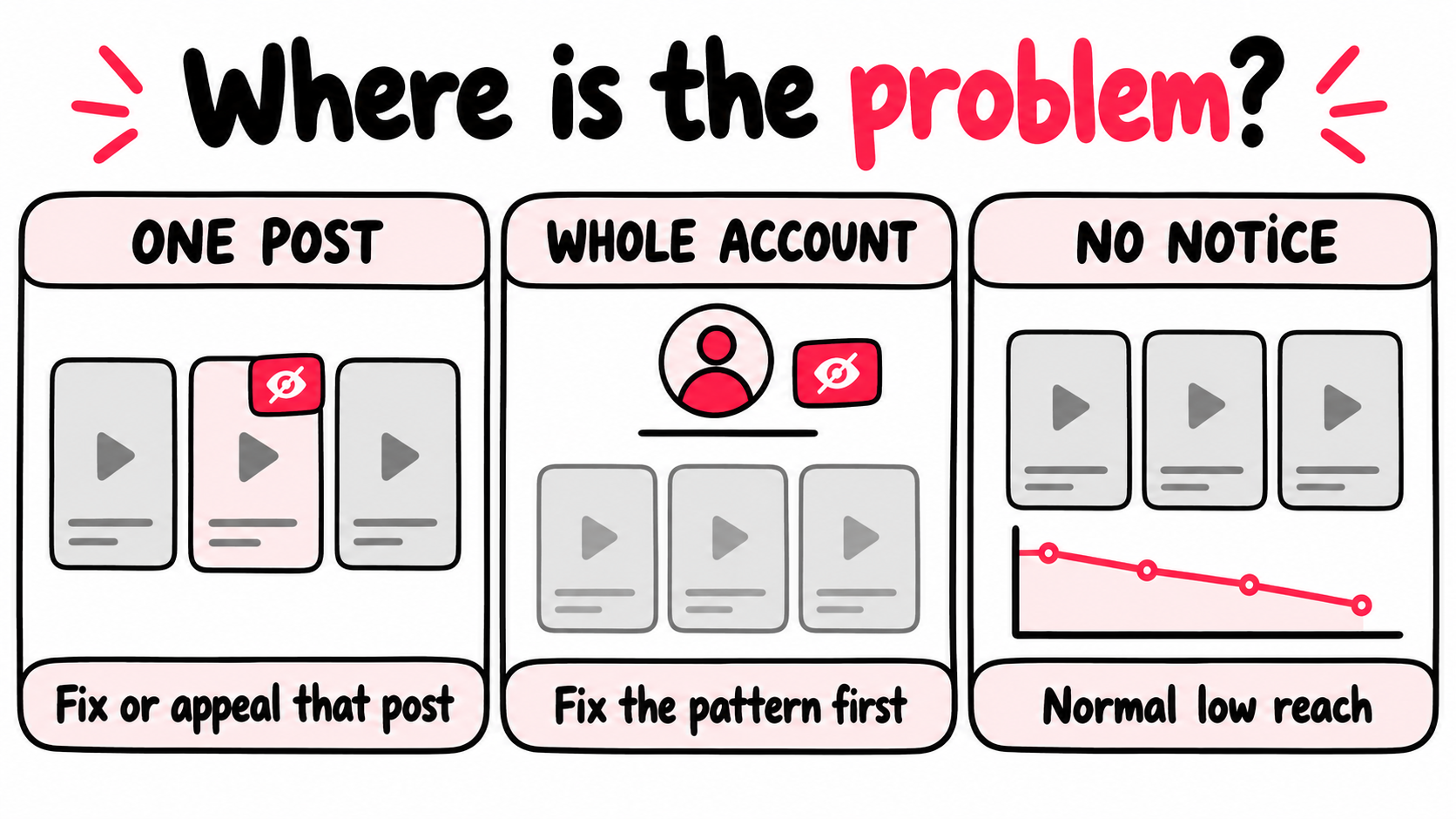
Look at where the notice shows up. A notice on one post means that post is off the For You feed. A notice next to your username or in your inbox means the account is. No notice anywhere usually means normal low reach, which needs a different fix.
On a post, the wording is usually “not eligible for recommendation in the For You feed.” On an account, it’s usually “ineligible for recommendation.”
| What you see | What it means | First move |
|---|---|---|
| A notice on one post or in its analytics | That post won’t be shown to new viewers | Read the reason, then appeal or fix the next post |
| A notice under your username or in your inbox | Your account’s posts aren’t being recommended for now | Find the posts behind it, fix the pattern, then appeal |
| A brand new post stuck at zero views, no notice yet | It may still be in review | Wait a day. Don’t upload it again |
| Low views and no notice anywhere | Nothing is blocked. People just aren’t staying | Work on the video itself |
That last row is the most common one. TikTok itself says a video with few views hasn’t necessarily broken any rule. If that’s you, our guide on why TikTok views drop without any notice is the better place to start.
Check the timing in your traffic sources
Open the post’s analytics and look at where views came from. If For You traffic was strong and stopped the day the notice appeared, the notice explains the drop.
If For You traffic was weak from the start and there’s no notice, the issue is how people responded to the video. Reading TikTok analytics by traffic source shows you how to tell those apart.
Where do you find the reason TikTok gave?
Open the post’s analytics and tap the notice. TikTok shows the reason there, along with an option to appeal. Do this before you edit, delete, or re-upload anything.
- Turn on analytics if you haven’t. Go to Profile, the menu, TikTok Studio, then Get started under Analytics.
- Open the flagged post and tap More insights. Tap the notice about the post to see the reason. TikTok’s guide to reviewing and appealing a post decision shows the same steps.
- Check for an account notice. Look in your inbox and under your username. If you find one, tap View more to see which videos caused it. TikTok explains this in its page on accounts that aren’t being recommended, and our guide to a TikTok account that’s ineligible for recommendation walks through the fix.
- Run Account check. Go to Profile, the menu, TikTok Studio, then Account check under More tools. It reviews your last 30 posts, and TikTok’s account status guide lists a second path through the Safety Center.
- Screenshot everything with the date: the notice, the reason, and your account status. You’ll want it for an appeal.
When the reason makes no sense
Creators post some strange labels. A shoe slideshow tagged for election integrity. A dog photo tagged as a dangerous activity. A drawing of a face marked as dangerous.
A reason that has nothing to do with your video is good news. It often means an automated check misread the post. That’s exactly the kind of decision an appeal is for.
Why would TikTok flag a video that breaks no rules?
Because the For You feed has a higher bar than TikTok itself. A video can be fine to post and still not be recommended. TikTok publishes this bar as its For You feed eligibility standards, and it revises them from time to time.
Most of that list will never touch a normal creator. A few items catch ordinary accounts all the time:
| Reason | What usually triggers it | What to change next time |
|---|---|---|
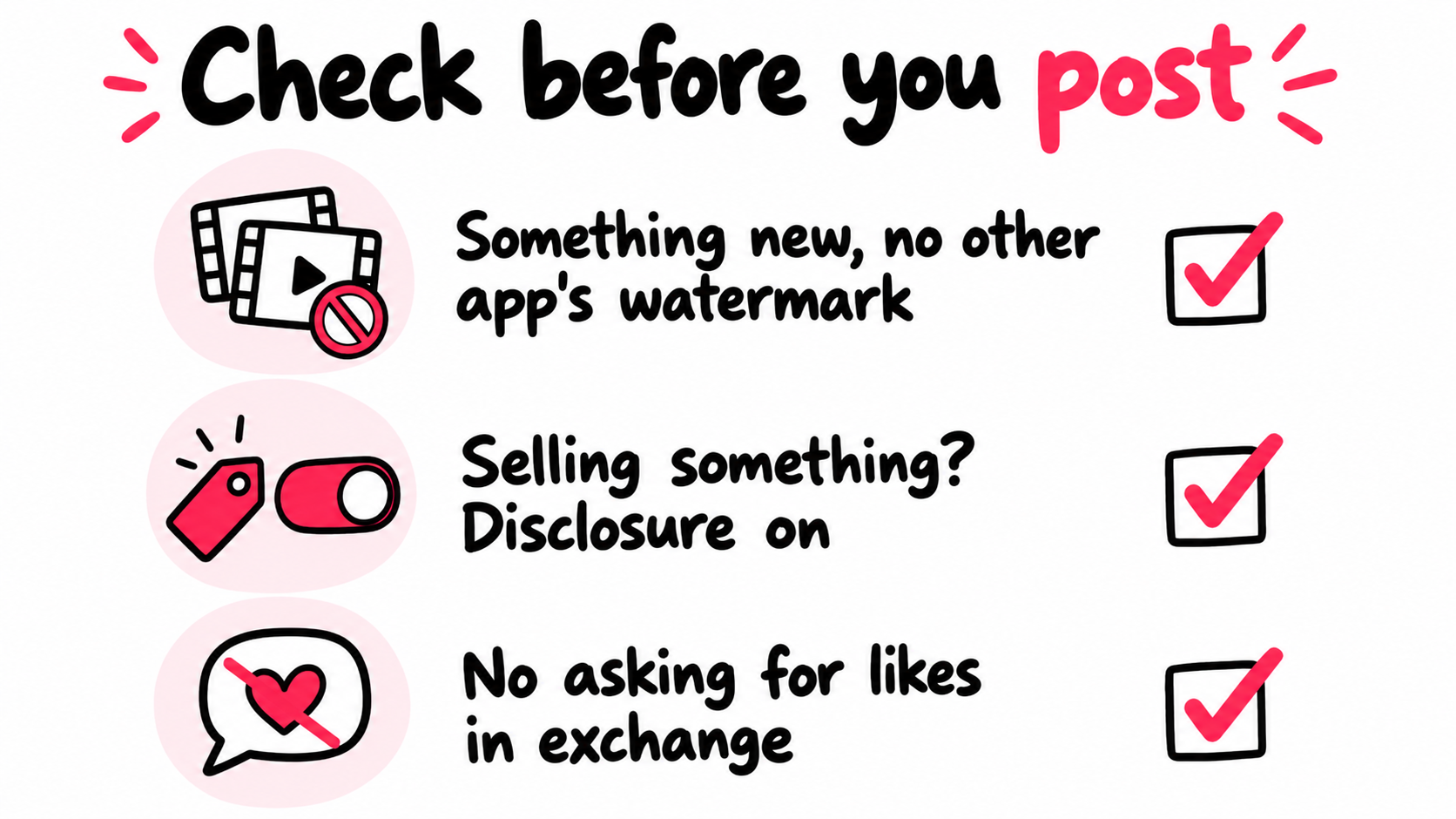
| Unoriginal or reused content | Cross-posting a Reel or Short with its watermark, clips from shows or other creators with nothing added, re-uploading your own old file | Upload your original export. Add real commentary, edits, or footage of your own |
| Engagement bait | “Like for like,” “follow for follow,” fake rewards for gifts or follows | Earn the comment or follow with the content, not a trade |
| Low quality clips | Short clips made only from GIFs, minimally edited reuploads | Post something people would actually stop for |
| Undisclosed promotion | Showing your own product with a price, a discount, or “link in bio” without TikTok’s disclosure setting | Turn on the disclosure setting whenever you promote your business, product, or brand |
| A misread | A harmless video labeled as dangerous, regulated, or political | Appeal, with context the reviewer can check |
The first three come straight from TikTok’s rules on unoriginal content and engagement bait. Watermarks and logos from someone else are named outright.
The trap original creators fall into
The most common “but it’s my video” story is cross-posting. You film a clip, post it to Instagram first, download it, and upload that file to TikTok. Now it carries another app’s watermark, and the system reads it like a repost.
It also happens with your own channel logo, a YouTube watermark baked into your outro, or a clip that went up somewhere else hours earlier. Keep a clean master file of every video and upload that file to TikTok. It’s a small habit that prevents the flag original creators complain about most. Our guide to why TikTok flags your own videos as unoriginal covers the full cross-posting workflow.
If you sell something, read this twice
TikTok asks you to turn on its disclosure setting whenever you promote your own business, product, or service, not just paid deals. If you skip it, TikTok may cut the post’s reach or switch the label on for you.
Say you run a candle shop and post “New fall scent, 20% off, link in bio.” That’s promotion. To turn on the disclosure setting, tap Content disclosure and ads on the post screen, switch on Disclose commercial content, and pick Your brand.
Most sellers skip the toggle because they think it kills reach. TikTok says it doesn’t. Its help page states the setting doesn’t change how TikTok recommends content, and its own study of about 2 million videos found no performance difference. Leaving it off is the bigger risk.
If TikTok flags one of your posts as undisclosed branded content, you get 24 hours to respond to the notice before the video becomes ineligible. Check your inbox the same day. If TikTok is a sales channel for you, our page on TikTok promotion for small businesses covers how to plan around it.
Should you appeal, remake, delete, or leave it alone?
Appeal when the reason is wrong and you can show why. Remake when the reason is right. In almost every case, leave the original post up, and never upload the same file again.
| Your situation | Best move | Why |
|---|---|---|
| The reason has nothing to do with the video | Appeal | This is a clear misread |
| Your own footage was flagged as unoriginal | Appeal with proof | You can show you made it |
| You used someone else’s clip, or a watermark is visible | Remake it with your own footage | The flag is accurate, so an appeal will likely fail |
| You promoted a product without disclosure | Turn disclosure on for that post under More options, then Ad settings | It’s the fast fix inside the 24 hour window. Appeal only if the post truly wasn’t promotional |
| There’s no Appeal button | Check your inbox and Account check | The notice may be on your account, with its own appeal path |
Why deleting usually backfires
Deleting a flagged post feels like a reset. It isn’t. Creators report that an account notice can stay even after the video is gone, and you lose the comments and views the post already earned. If the post also got a strike, TikTok says deleting it won’t remove the strike.
Deleting and re-uploading the same file is worse. Two copies of the same video can look like reused content, and the new one can get flagged too. If the flag was right, change what caused it and post a new video.
How to write an appeal a reviewer can check
Assume the reviewer has a few seconds and no context. Give them facts they can confirm. Creators who win appeals tend to be specific about what they made and how.
What the video is: A 30 second clip I filmed in my bakery, showing how we glaze cinnamon rolls.
The reason given: Unoriginal content.
Why it doesn’t apply: I filmed and edited this myself on my phone. No other account has posted it. The version I uploaded has no watermark from any other app.
What I can show: The original phone recording with its date, plus photos of the counter and tray seen in the video.
Use the space the form gives you. If it lets you attach files, attach the proof. Keep it calm. “This is unfair” gives a reviewer nothing to check.
How long does “not eligible” last?
TikTok doesn’t publish a timeline. A successful appeal makes the post eligible again. An account notice can be lifted by appeal, or automatically, depending on how much of your content is still ineligible. Beyond that, all you have is what creators report.
| What TikTok says | What creators report |
|---|---|
| A successful appeal makes the post eligible again | Appeals are often decided within hours. Some take a manual review |
| An account notice can lift on its own, depending on how much of your content is ineligible | Account labels often lift after a stretch of clean posts |
| Ineligible posts stay up and can still be found through search or your profile | Approved posts often never get their reach back |
That last line is the one nobody warns you about.
Why approved posts rarely bounce back
An approval gives the post permission, not a second launch. Most posts get the bulk of their reach while they’re new. By the time an appeal clears, that early window has usually passed, and the post is now competing with everything posted since.
One creator on Reddit described an appeal approved in 30 minutes, followed by two weeks of views stuck in the low hundreds. Another won about nine in ten appeals and said the momentum was gone by the time each one cleared.
So appeal when it’s warranted, then move on. Your recovery comes from the next clean post, not the old one. Which means the next post’s first hours matter more than anything you do to the flagged one.
How do you keep your next posts eligible?
Run a 60 second check before you post, and use TikTok’s own pre-check for posts that matter. Most flags come from a few habits you can see before you hit publish.
Use Content Check Lite for important posts
TikTok Studio on the web has a free pre-check called Content Check Lite. It reviews your upload against the For You standards before it goes live.
- Open TikTok Studio on a computer.
- Click your profile picture, then Settings.
- Turn on Automatic content check lite. You can also turn it on from the pop-up when you upload.
- Upload as usual. Problems show up as prompts on the upload page. Green check marks mean nothing was found.
Treat the result as a smoke alarm, not a guarantee. TikTok calls it a preliminary check. Creators report slow loads and the odd false alarm, and a pass doesn’t promise reach. A warning is worth a second look, not a panic.
Keep a flag log
Every time a post gets flagged, write down four things: the date, the reason, what was in the video, and what happened after.
After three or four entries, a pattern usually shows up. All cross-posts. All product videos. All the same sound. One pattern fixed beats ten appeals. If several posts are hit and growth has stalled, run our 10 post audit for an account that stopped growing to see what else is going on.
Skip the fixes that don’t work
Plenty of “fixes” for this spread fast and do nothing. Changing the caption, hashtags, filter, or music on a flagged post won’t reverse the decision. Neither will “warming up” an account, deleting the app, or buying engagement.
That last one can make things worse. TikTok treats fake engagement as an integrity problem, which is a different kind of trouble. If you’re tempted, read our breakdown of whether TikTok growth services are legit first.
Can you promote a video that isn’t eligible for the For You feed?
Don’t. Paid reach doesn’t override TikTok’s eligibility decision, and money behind a flagged post is money behind a problem. Fix the cause first, then put your budget on a clean post.
TikTok Promote runs its own advertising review for promoted posts. Creators report boosts rejected, approved on appeal, then rejected again for the same video. If that’s where you’re stuck, our guide to TikTok Promote rejections and appeals walks through it.
Where promotion actually helps
Promotion is worth it for a post that’s clean, public, and new. That’s the moment TikTok is still deciding how far to push it. A post that starts with real people watching gives the system something to work with. A post that starts cold has to win its first test alone.
The For You feed is also only one door. A clean post can reach new viewers from outside TikTok too, through ads in the apps and sites they already use. Those viewers land on your actual post, where they can watch, like, comment, and follow like anyone else.
That’s the idea behind automatic promotion for each new TikTok post. Each new public post in your plan is found while it’s fresh, shown to new viewers outside TikTok, and reported on its own, separate from TikTok’s numbers. That separation is useful here. If promoted viewers watch and react but For You traffic stays flat, the video probably isn’t the problem. That’s your cue to check for a notice.
And if a post does get flagged, leave it out of your promotion plan until it’s sorted. The point is to make every clean post count, so one flag never sets your account back for long.
What should you do right now?
Take five minutes and work through this list in order. It turns a confusing notice into one clear next step.
- Find the notice. Post, username, or nowhere?
- Read the reason. Screenshot it with the date.
- Decide: appeal if it’s wrong, remake if it’s right.
- Leave the original up. No re-uploading the same file.
- Fix the habit behind the flag before your next post.
- Make the next post count. That’s where your reach comes back.
Not sure whether your account has a bigger problem? Run your handle through our free TikTok profile analyzer for a quick outside view. Once the flags are handled, our guide on earning more views on your next video picks up from there.
Frequently asked questions
Can people still see a TikTok video that is not eligible for the For You feed?
Yes. The video stays on your profile, and TikTok says people can still find it through search or by visiting your account. Anyone with the link can watch it too. TikTok just won't recommend it to new people on the For You feed.
So the post isn't gone. It has lost the place most new viewers come from.
Why does every video I post say not eligible for the For You feed?
Check your inbox and the area under your username. If you see "ineligible for recommendation" there, the notice is on your account, not on each video. Your posts stay off the For You feed until TikTok lifts it, either on its own or after an appeal.
If there is no account notice, look for a pattern in the flagged posts. Cross-posted videos with another app's watermark and posts that promote a product without the disclosure setting are the most common repeat causes.
Should I delete a video that is not eligible for the For You feed?
Usually not. Deleting it doesn't undo the decision, and creators report that an account notice can stay after the video is gone. You also lose the comments and views the post already earned.
Never delete it and upload the same file again. A second copy of the same video can be read as reused content and get flagged too. If the flag was right, fix the problem in a new video instead.
My appeal was approved. Should I repost the video to get the views back?
No. An approved appeal already makes the post eligible again. Uploading the same file a second time can get the copy flagged as reused content.
Many creators report that an approved post never picks back up, because its early window has passed. Leave it up, and put that energy into making your next post start strong.
Is not eligible for the For You feed the same as a shadowban or a strike?
Neither, exactly. TikTok doesn't publish a shadowban setting. "Not eligible" is a published, named decision with a reason and usually an appeal option.
It is also different from a Community Guidelines violation, which removes content and can come with a strike that lasts 90 days. An ineligible post stays up. It just isn't recommended to new viewers.