
How Many Followers Do You Need to Go Live on TikTok? (And How to Get There)
How many followers to go live on TikTok? Check the 1,000-follower rule, age limits, early access, missing LIVE options, and your next steps to get there.
On this page
How many followers do you need to go live on TikTok?
More followers only solve a LIVE access problem when the follower count is what’s blocking you. You usually need 1,000 followers to go live on TikTok and must be at least 18. TikTok says the follower rule can vary by region.
What the 1,000-follower rule does and doesn’t tell you
TikTok’s official LIVE requirements give you a starting point. They don’t mean that every account at 999 is blocked or every account at 1,000 has passed all checks.
If you’re building toward a release, a live lesson, or a regular show, there are two questions to settle: what does your account need for access, and who are you building the stream for? The first decides your next task. The second decides which followers are worth earning.
What You’ll Learn
- Find the real blocker: a follower gap, age check, account issue, or desktop access.
- Assess early-access claims without guessing at the cause.
- Check application and trial terms against the way you plan to stream.
- Give support useful evidence that narrows down the fault.
- Plan the growth you need and build demand for the LIVE itself.
How can you tell what’s actually blocking TikTok LIVE?
Use the requirement or error shown on your account to choose the next step. A missing button tells you that you can’t start through that screen; it doesn’t tell you why.
The quick check is TikTok → plus button → LIVE. Scroll across the modes if needed. Read any access, age, or restriction message. Keep phone hosting and LIVE Studio checks separate.
| Evidence on your account | What it tells you | Where to focus |
|---|---|---|
| An explicit follower requirement you haven’t met | You have a count gap | Build toward the number shown, while checking the other rules. |
| An age check that is pending or failed | TikTok hasn’t cleared that check | Complete it or appeal the decision. |
| A notice that LIVE access was limited or removed | There is an access decision to address | Follow the notice’s appeal or renewal route. |
| Phone LIVE works, but LIVE Studio won’t allow it | The problem is with desktop access | Check Studio’s own requirements. |
| No LIVE option and no reason given | The cause is still unknown | Gather the account and device evidence before choosing a fix. |
Don’t treat the last row as proof that you need more followers. It could be a follower issue, but the screen hasn’t established that.
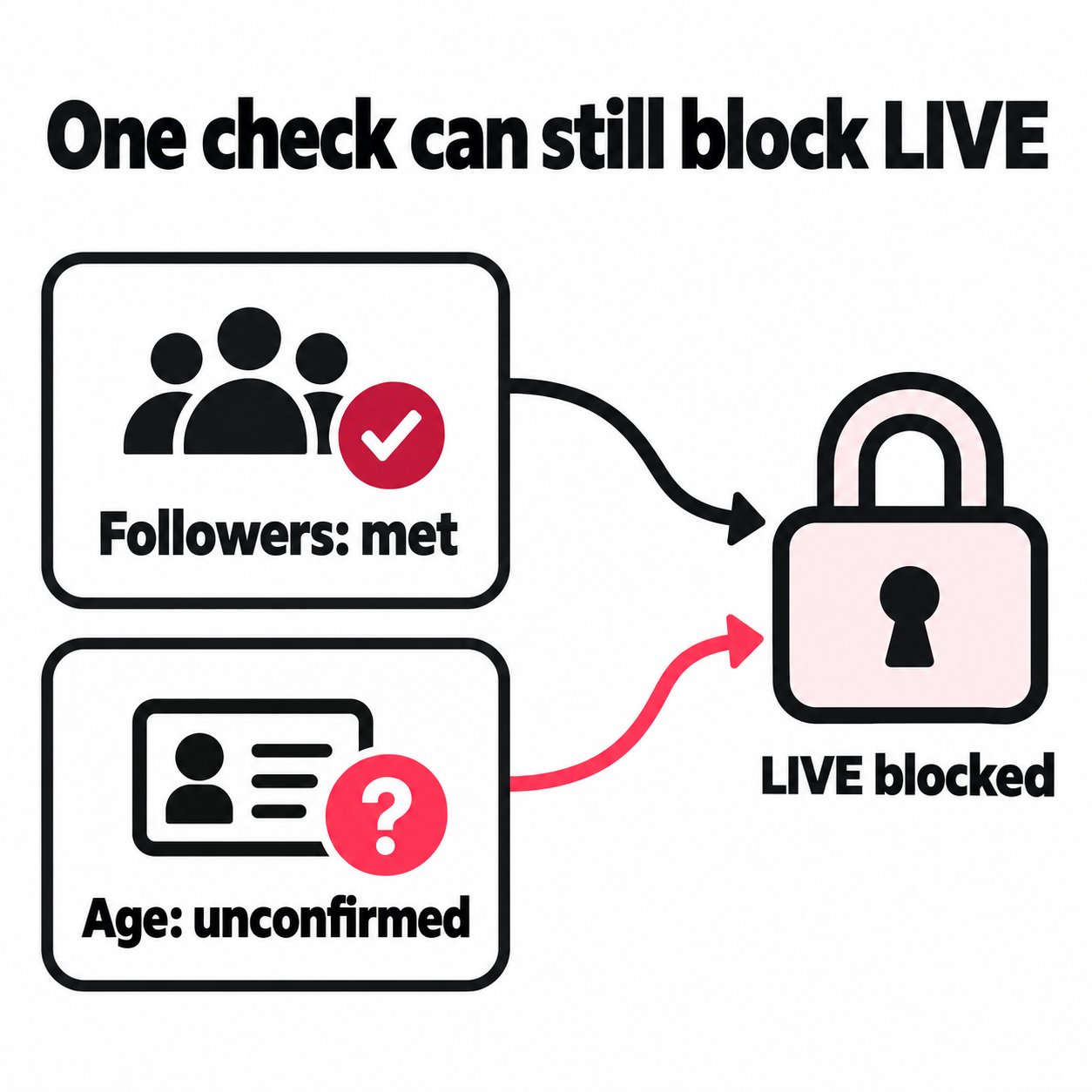
Being eligible and having working access are separate checks
For a planned launch, confirm the method you will use. A desktop approval doesn’t establish phone access. A setup screen may still lead to another check before the stream can start.
Keep a short record: the account, date, current count, device or streaming method, and message shown. If the count is rounded to “1.0K,” use a more precise figure where TikTok provides one. A rounded label is weak evidence when you’re right at the threshold.
Why can some creators go LIVE with 100 or 500 followers?
A lower follower count can reflect different access rules or an approved route, but the count alone can’t explain the result. Reports from other creators are useful leads, not a rule you can apply to your account.
Reddit discussions are full of conflicting reports. One person receives an invite below 500. Another has more followers and sees no option. Some are talking about hosting; others mean joining a stream as a guest.
Before using one of those stories to change your plan, look for five details:
- The feature: phone hosting, LIVE Studio, or a guest slot?
- The timing: is the reported count from when access was granted or from later?
- The location: does the creator say where the account is based?
- The route: did access appear, or did they apply using another channel?
- The terms: was this ongoing access or a trial with conditions?
If those details are missing, the story cannot tell you what to do next.
What “it worked after I did this” leaves out
Suppose a creator posts more often, switches account type, applies for access, and receives approval that week. The timing doesn’t show which action mattered. Repeating all four gives you more work without a clear reason to expect the same result.
Look for the named application in TikTok and check its terms. A tutorial that doesn’t identify the rule it solved gives you little to act on.
A Business switch also affects other tools. Review the Business versus Personal account tradeoffs if that change is part of the suggested method.
Can LIVE Studio give you access before 1,000 followers?
TikTok documents a LIVE Studio application route for people who stream on other platforms. That makes an application worth checking if you have an existing channel; it does not establish a universal follower exemption or promise phone access.
TikTok’s LIVE Studio access guide separates two cases:
| Your starting point | What TikTok describes |
|---|---|
| You already host LIVE on TikTok | Studio access can depend on account age, recent LIVE activity, followers, and suspension history. The guide does not give fixed numbers for those checks. |
| You stream on another platform | You can apply with details of that channel. TikTok reviews the application and sends an approval notice if accepted. |
Open Your LIVE access inside LIVE Studio to see the route offered to your account. Submit accurate channel details and leave time for review. TikTok says it may take days.
Check what the approval lets you do
Before moving a planned show to TikTok, record:
- Which account and streaming method the approval covers.
- Whether access is ongoing or a trial.
- Any stream length, activity, or renewal terms shown.
- The review status, start date, and any end date.
Use your own terms, not another creator’s trial length or activity target. If the trial calls for more streams than you can fit into your release schedule, resolve that before booking guests or announcing a series.
Why can’t you go LIVE even after reaching 1,000 followers?
You may have met the follower rule while an age check, access decision, or other requirement remains open. Find the unresolved condition before treating the delay as a growth problem.
Age approval is more than entering a birth date
TikTok’s LIVE age confirmation guide says it must confirm that you’re at least 18. If it can’t confirm your age, you can’t go LIVE.
Use the method offered on your account. If the decision is wrong, follow the appeal or review steps in the notice.
Save the result as well as the request. “I sent the documents” and “TikTok approved the check” describe different states. That distinction helps when you need support to review what is still blocked.
Narrow the issue before sending a report
TikTok’s LIVE troubleshooting guidance says to report the problem if you meet the rules but still can’t stream.
First update the app and restart it. Then, where you have access to another device or streaming method, compare the result without changing account settings at the same time.
| What you find | What it helps you rule in or out |
|---|---|
| The same account works on another phone | A device or app issue is more plausible than a follower shortfall. |
| Phone hosting works; Studio fails | Focus the report on desktop access. |
| The same age or restriction message appears across devices | The message is tied to the account, not just one screen. |
| The error began after a specific access notice | Include that notice and its date in the report. |
Make comparisons close in time. A change to your access between tests can make the device look like the cause when it isn’t.
Give support a specific question to resolve
Use Profile → Menu → Settings and privacy → Report a problem. TikTok’s reporting instructions explain how to send further details if the suggested fixes fail.
Include the exact error, account, count, country, device, app version, and any prior approval or restriction. State whether this is first-time access or access that stopped working.
Account: @____. I want to host through [phone app / LIVE Studio].
My current follower count is ____. My age check shows ____. The access screen says ____.
This last worked on ____ / has never worked. On [other device or method], the result is ____.
I’ve attached the error and access notice. Which requirement remains unmet, or which access decision needs review?
Leave out any field you can’t confirm. If the reply only repeats the follower rule, respond with the current count and the exact unresolved message. If you have never had LIVE access, don’t use a template claiming that you lost it.
Do phone hosting, guest slots, and Gifts have the same rules?
No. Treat each as a separate permission tied to what you plan to do. Access to one feature is not enough evidence that the others will work.
| What your show needs | Confirm before launch |
|---|---|
| A stream from your phone | Phone hosting works on the intended account. |
| Desktop capture or a software-based setup | Your chosen desktop route has access. |
| A guest on screen | That guest can use the invite or request flow in your stream. |
| Gifts | The feature is available and enabled for your account under its age and location rules. |
TikTok’s multi-guest guide explains how invites and requests work. It does not state a fixed guest follower minimum. Hosts can also control who may request a spot.
If Gifts are part of the plan, check what each TikTok gift costs viewers and pays creators before you set money goals for the stream.
For a planned duet, interview, or joint lesson, check both accounts before announcing it. A guest who can watch or comment has not yet shown that they can join on camera.
Gifts are only one way to earn from your audience. Our guide to TikTok income streams and when you qualify covers the others that open at 1,000 followers and beyond.
How do you close the follower gap without wasting the next month?
Start with the number your account needs, your recent net growth, and the time available. Then decide whether the current pace is enough or whether you need a stronger plan for earning follows.
Work backward from the gap
Suppose you’re at 760 followers and planning toward 1,000. The gap is 240. At 30 net new followers a week, the rough timeline is eight weeks. To close it in four weeks, you’d need 60 a week.
That gives you a question worth testing: what could raise weekly net growth from 30 to 60?
| Planning case | Net growth per week | Time to add 240 |
|---|---|---|
| Recent pace continues | 30 | 8 weeks |
| Growth improves by half | 45 | About 6 weeks |
| Growth doubles | 60 | 4 weeks |
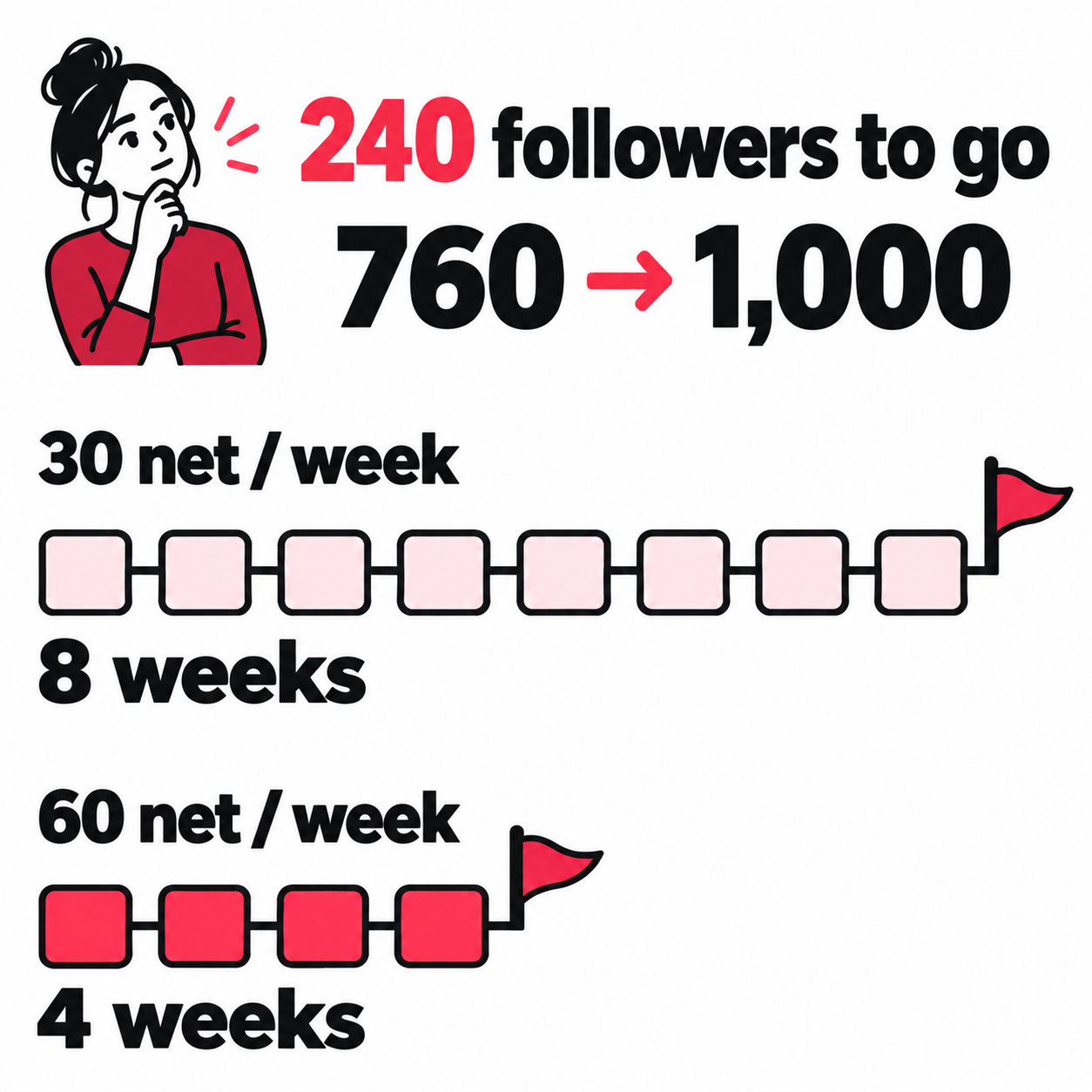
These are scenarios, not forecasts. They estimate reaching a count, not when TikTok will grant access.
Check gains and losses over the same dates where available. If 50 people follow and 20 leave, you added 30. A plan that doubles new follows while losses also rise may miss its target.
Also check whether one burst drove the average. If most of the month’s growth came from one post, build a second case using the quieter weeks. You need a range you can plan around, not a date based on your best day.
Give the next followers a reason to want the LIVE
Choose the stream’s job before choosing its promotion clips. A musician may want listeners to hear a release, take part in a song choice, or return for a regular performance. Those goals call for different previews.
| Planned LIVE | Useful preview | Evidence worth looking for |
|---|---|---|
| Hear a new song in full | A strong passage with a clear promise of the full performance | Requests for the full song and follows on related clips |
| Help shape a work in progress | Two versions of a real musical choice | People explain a preference or ask how the piece develops |
| Join a recurring session | A complete moment from the format you plan to repeat | The same viewers return to comment on later posts |
Those signals don’t forecast attendance. They show whether people care about the thing you plan to offer. Keep raw follower growth and interest in the LIVE as two separate checks.
Use the TikTok follower-growth guide for the broader content method. If views arrive but follows don’t, the views-to-followers diagnosis covers that problem in depth.
How do you turn new listeners into an audience for the LIVE?
Give people a short path from discovering a clip to wanting the stream. Bring them to the original TikTok post, let them hear enough to care, and make the next performance easy to find.
Suppose you need 240 more followers before hosting a release session. You have a chorus clip, a stripped-back take, and a short story about the song. Each can introduce a new listener to the same planned LIVE.
The job isn’t finished when those clips are posted. Decide how people beyond your usual audience will find each one and what they’ll find when they arrive.
Bring discovery back to the original clip
A collaborator’s audience, a relevant music community, or ads in other mobile apps and websites can provide another route to discovery. Choose the route you can run well and give it a clear destination.
For this goal, link to the original TikTok preview. Someone who likes it can follow the artist, leave a question, or find the next performance without searching for your account. A listening link may serve a release goal, but it adds another step when the immediate goal is to build the TikTok audience for a LIVE.
Match the arrival to the promise. If the preview offers the full acoustic version in an upcoming session, the profile should make that session’s theme clear. Until access is confirmed, promise the format rather than a date you may have to move.
The TikTok Profile Analyzer can help you review the public profile and posting habits behind that path. Use it to prepare for new visitors; check LIVE access inside TikTok.
Keep the previews moving while you prepare the show
Set the distribution plan for the whole run of clips before you start rehearsing. This prevents a busy week from leaving the second and third previews with no planned support.
| Decide once for the preview series | Why it matters for the LIVE |
|---|---|
| Which public clips belong in the run | Each points toward the same kind of session. |
| Where listeners should come from | Country and time zone should fit the audience you plan to host. |
| How many posts get support, with a budget per post if using ads | You can plan the whole run before the first clip uses the available budget. |
| When to review each clip’s results | You learn while there is still time to shape the show. |
For a paid run, a useful automatic per-post promotion process carries those choices forward: detect a new public preview, start its campaign once approved, and keep its delivery report with that video. Retain the option to skip a post that doesn’t fit the series.
You can also run the same brief by hand or pass it to someone helping with the release. The benefit is fewer repeated decisions between uploads. Filming the next take shouldn’t mean rebuilding the distribution plan from scratch.
Start support while the preview still fits what you’re preparing. You can answer new questions, use them in the next clip, and bring them into the LIVE. If the date or format changes, update the plan before sending more people to an old promise.
Let each preview improve the next launch
Keep the post link, traffic source, spend, and delivered traffic in one record. Add TikTok’s reported follows where available, plus the questions people ask. If a source’s quality can be measured, use that evidence when choosing where the next clip gets support.
A cheap click alone doesn’t tell you whether someone reached the post or cared about the music. And when several videos are active, account-wide follower growth can’t show which source earned those follows. Keep delivery evidence and audience response distinct.
By the time access opens, you want more than a higher total. You want a set of previews that still lead to your work, questions worth answering on stream, and a way to bring fresh listeners to the next performance without starting over.
What should your first few LIVEs prove?
Use the first sessions to test whether the people your clips attract want more time with you in that format. Reaching the follower threshold opens the test; it doesn’t tell you what the audience will watch.
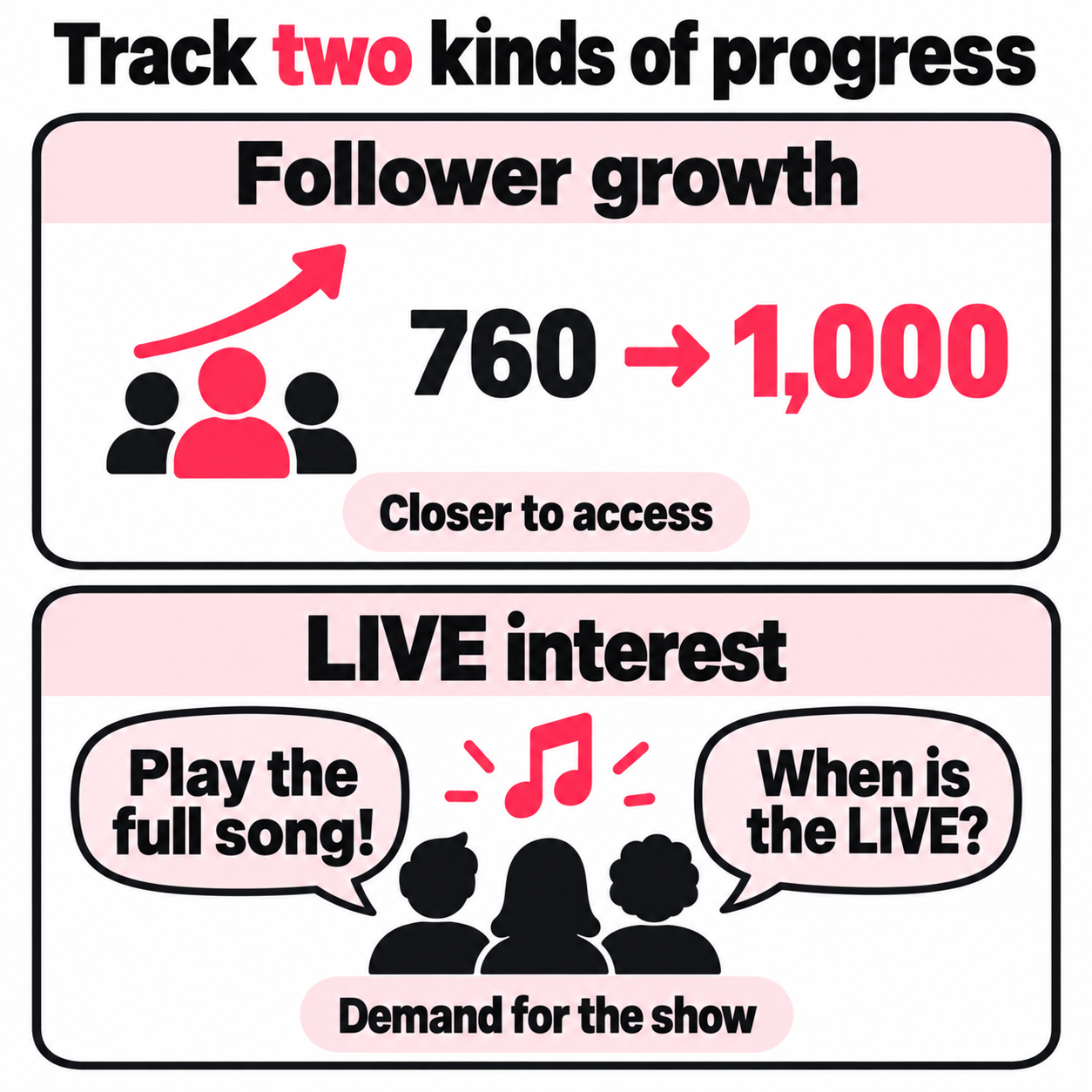
For example, test whether listeners stay for full songs or engage more when you break down how a song was made.
Keep the topic and stream length close enough to compare. Change one major part, such as full performance versus performance with a short breakdown. TikTok’s LIVE performance guide points to LIVE Center for past results. Record these fields where available:
- Time spent LIVE and when the session ran.
- Unique viewers, average watch time, and peak viewers.
- Follows earned during the session.
- Questions or requests that point to the next show.
Keep raw totals beside rates. Ten follows from 100 viewers and ten from 1,000 viewers suggest different tests, but small samples are noisy. A guest’s followers joining or an unusual start time can also change the audience.
Few arrivals but strong watch time points toward testing how you promote the next session. Many arrivals but fast exits points toward the opening or a gap between the preview and the show. Use those as leads to test, not final verdicts.
Assign chat help before a performance that needs both hands. TikTok’s LIVE moderation guide explains the controls available to hosts and moderators.
After a few comparable sessions, decide what to repeat. The useful milestone is a stream you can run again for people who want to come back.
Frequently asked questions
Can you go live on TikTok with 100 or 500 followers?
Some accounts can host a LIVE below 1,000 followers, but reaching 100 or 500 does not unlock it for everyone. TikTok says its follower requirement can vary by region. You must also meet the age and access rules for your account.
Check whether an example you saw was phone hosting, LIVE Studio, or a guest slot. Also check whether it was a trial. A creator's current follower count alone doesn't tell you how they got access.
Why can’t I go live even though I have 1,000 followers?
You may have met the follower requirement while an age check, access restriction, or desktop requirement is still unresolved. Look for the specific message on your LIVE screen. Having enough followers doesn't clear those other checks.
If phone LIVE works but Studio doesn't, focus on Studio access. If the same age or restriction notice appears across devices, address that notice. When you meet the stated rules but still can't stream, report the error with screenshots and any prior approval.
How do you get LIVE access on TikTok without 1,000 followers?
Use an access route TikTok offers your account. If you already stream on another platform, TikTok's LIVE Studio guide describes applying with details of that channel. Open Your LIVE access in Studio and follow the application steps.
TikTok still has to approve the request. Check which streaming method the approval covers and any trial or renewal terms. Reporting a missing feature is a different process, not a proven shortcut around the follower rule.
How long after reaching 1,000 followers can you go live on TikTok?
Reaching 1,000 doesn't start a reliable countdown to LIVE access. The follower count alone cannot tell you when other checks will clear, so don't plan a launch around a claimed 24- or 48-hour unlock time.
Reopen the LIVE screen and check for an unmet requirement. A LIVE Studio application is a separate review that TikTok says may take days. If you meet the stated rules and access is still missing, report the issue rather than assuming more waiting will fix it.
How many followers do you need to go live as a guest on TikTok?
TikTok's multi-guest guide does not state a fixed follower minimum for guests. The host's follower requirement should not be treated as a confirmed guest rule.
To request a spot, use Multi-guest and Request where available, or accept the host's invite. The host's settings and your account's access still apply. If TikTok shows an access requirement when you try, that is the condition to resolve before a planned joint stream.